How to Get First Page Ranking on Google: Complete 2026 SEO Guide
Introduction
Every website owner wants to appear on the first page of Google. Whether you run a small business, blog, ecommerce store, or service-based website, first page visibility can bring more traffic, more leads, and more trust.
But getting first page ranking on Google is not about shortcuts. It is not about stuffing keywords, copying competitors, or publishing random blog posts. Google’s own SEO Starter Guide explains that SEO helps search engines understand your content and helps users decide whether they should visit your site through search. It also clearly says there are no secrets that automatically rank a site first in Google.
So, how do you actually rank on Google first page?
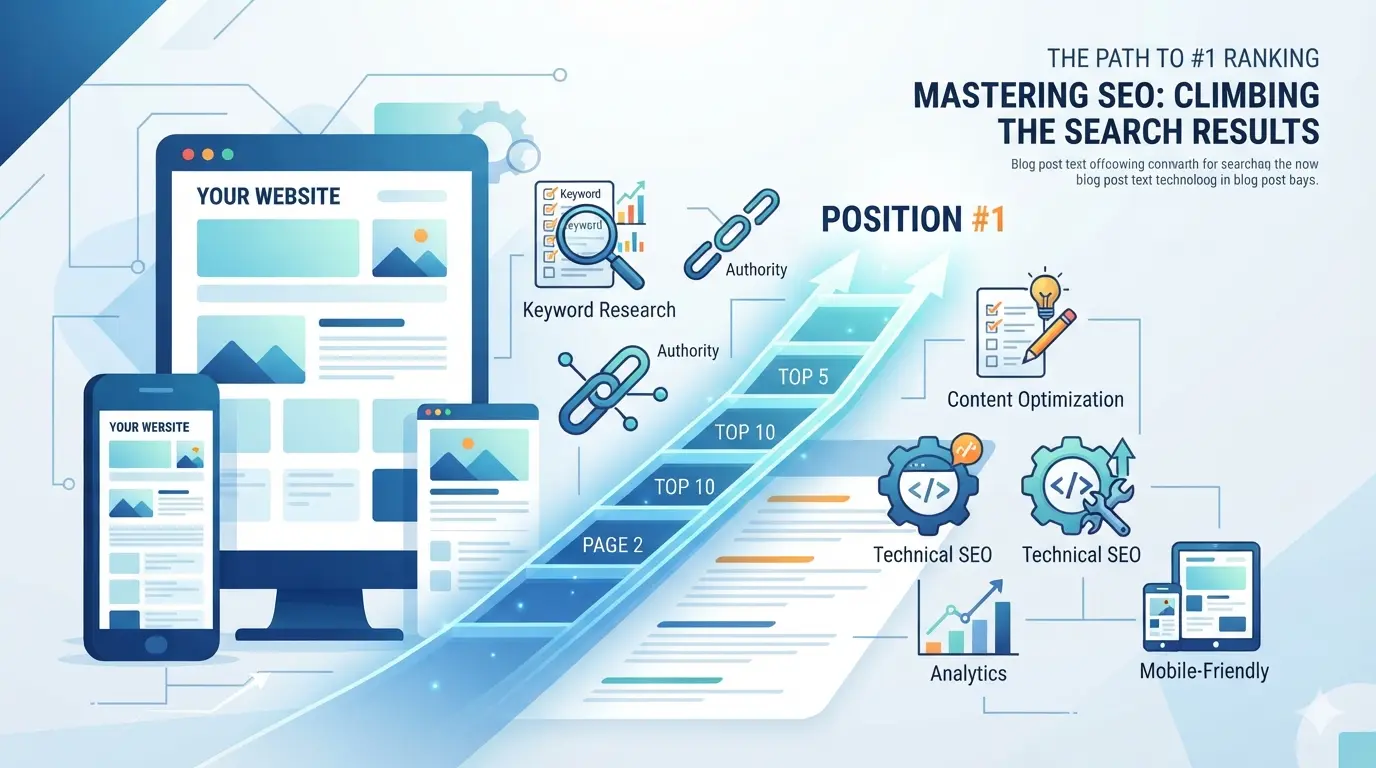
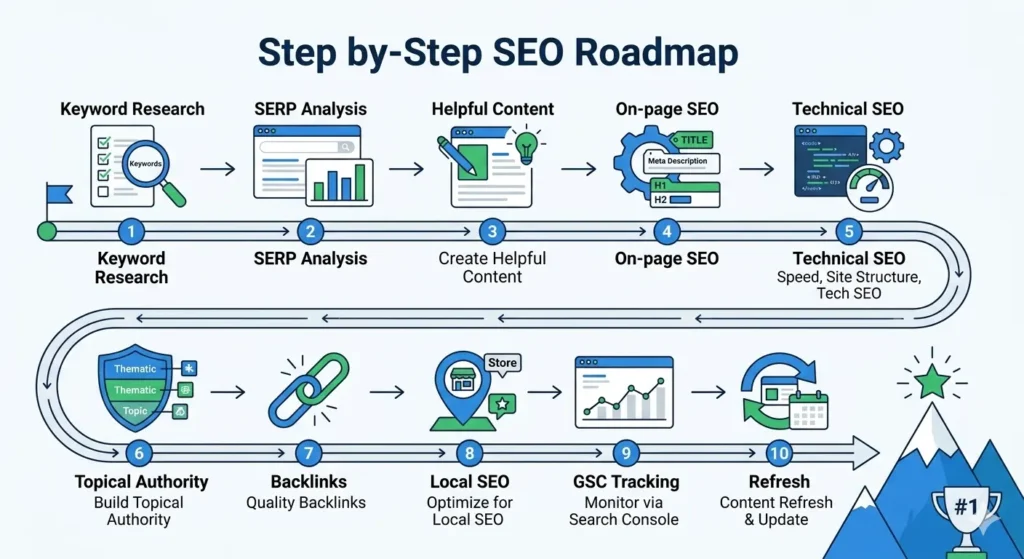
The answer is a complete SEO process. You need to choose the right keyword, understand search intent, create helpful content, optimize on-page SEO, fix technical issues, improve user experience, build topical authority, earn relevant backlinks, and track your results through Google Search Console.
In this guide, you will learn how to get first page ranking on Google using updated SEO strategies for 2026, including AI Overviews, Core Web Vitals, local SEO, Search Console optimization, content refreshes, and practical ranking steps.
Need help improving your Google rankings? Contact our SEO team for a free website audit.
What Does First Page Ranking on Google Mean?
First page ranking on Google means your webpage appears on the first search results page for a specific keyword. For example, if your target keyword is “how to get first page ranking on Google,” your goal is to make your page appear among the top organic results when someone searches that phrase.
However, Google’s first page is no longer just a list of ten blue links. Today, search results may include:
- Organic search results
- Paid Google Ads
- Featured snippets
- People Also Ask boxes
- AI Overviews
- Local map pack results
- Image results
- Video results
- Product listings
- Knowledge panels
This means your Google first page SEO strategy should not only focus on traditional rankings. You also need to optimize your content for snippets, local search, AI search, images, videos, and a strong user experience.
Organic Results vs Paid Ads
Organic results are unpaid listings that Google shows because it considers the page useful and relevant for the query. Paid ads appear because advertisers pay to show their pages at the top or bottom of the results.
Paid ads can bring quick traffic, but they stop working when your budget stops. Organic SEO takes longer, but it can bring long-term traffic without paying for every click.
Why Ranking Position Matters
Ranking on page one is good, but ranking higher on page one is even better. A page in position one usually gets more attention, more trust, and more clicks than a page at the bottom of the same results page.
That is why the real goal is not only to get indexed. The goal is to create a page that deserves to rank higher than competing pages.
Why Is Google First Page Ranking Important?
First page ranking on Google is important because it puts your website in front of people who are already searching for information, products, or services related to your business.
Here are the biggest benefits.
1. More Organic Traffic
When your page ranks on Google’s first page, more users can find it. This can increase your organic traffic without spending money on ads.
2. Better Brand Visibility
Ranking on page one repeatedly helps users remember your brand. Even if they do not click the first time, they may recognize your website later.
3. More Leads and Sales
If your page targets the right keyword, the traffic you receive can turn into inquiries, calls, sign-ups, or sales.
4. Higher Trust
Many users trust Google’s top results. When your website ranks high, people may see your brand as more reliable and professional.
5. Long-Term ROI
SEO takes time, but a well-optimized page can continue bringing traffic for months or years if you keep it updated.
6. Lower Dependency on Paid Ads
Ads are useful, but relying only on paid campaigns can become expensive. Organic ranking gives your business another traffic channel.
7. Stronger Authority in Your Niche
When you publish useful content around your topic, your website becomes more helpful for users and more understandable for search engines.
Think of it this way: ranking on page one is like opening your shop on the busiest road in the city. Ranking on page two is like opening it in a hidden street where very few people pass by.
Case Study
A local plumbing company in Dallas, for example, may not get many leads from a generic keyword like “plumbing.” But if its service page ranks on Google’s first page for “emergency plumber in Dallas,” the traffic is more valuable because the searcher needs immediate help. This is why first page ranking is not only about traffic volume. It is about ranking for keywords that bring real customers.
Step 1: Choose the Right Keyword
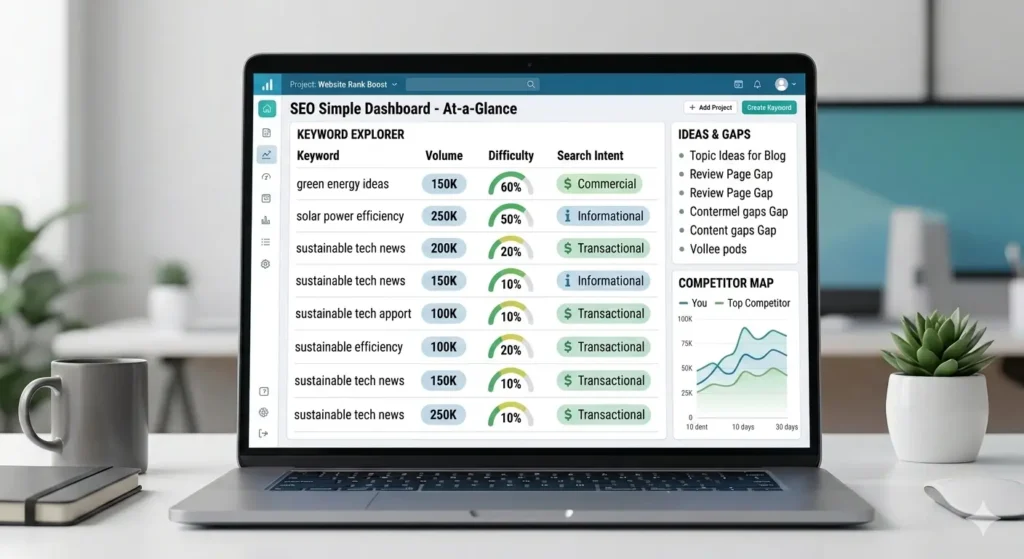
The first step in how to get on the first page of Google is keyword selection. Many websites fail because they choose keywords that are too broad, too competitive, or not connected to the user’s real need.
For example, a new website should not start by targeting a very broad keyword like “SEO.” That keyword is too competitive and unclear. A better approach is to target specific keywords such as:
- how to get first page ranking on Google
- how to rank on Google first page
- how to improve Google ranking
- how to rank website on Google
- how to get website on Google first page
- how to rank a new website on Google first page
- how to move from page 2 to page 1 on Google
These keywords are more focused and easier to match with useful content.
Case Study
For example, a new SEO blog may struggle to rank for the keyword “SEO” because the competition is too strong. But it may have a better chance with long-tail keywords like “how to improve Google ranking for a new website” or “how to move from page 2 to page 1 on Google.” These keywords are more specific, easier to match with helpful content, and often attract readers who are looking for practical solutions.
Understand Keyword Intent
Keyword intent means the reason behind a search. Before writing a page, ask yourself: what does the searcher want?
Here are the four main types of search intent:
| Intent | Example Keyword | User Goal |
|---|---|---|
| Informational | how to rank on Google | Learn something |
| Commercial | best SEO tools | Compare options |
| Transactional | buy SEO services | Purchase or take action |
| Local | SEO agency in Lahore | Find a nearby service |
The keyword “how to get first page ranking on Google” has informational intent. The user wants a complete guide, not a sales page. That is why this article should be written as a helpful step-by-step blog post.
Choose Keywords You Can Realistically Rank For
Not every keyword is worth targeting immediately. If your website is new, start with long-tail keywords. These keywords usually have lower competition and clearer intent.
Examples include:
- how to get first page ranking on Google without ads
- how to rank a new website on Google first page
- how to get blog post on first page of Google
- how to improve SEO ranking in Google search
- how to use Search Console to improve rankings
Long-tail keywords may bring less traffic individually, but they often attract more targeted visitors.
Map One Main Keyword to One Page
Each important page should target one main keyword or topic. If you create multiple pages for the same keyword, they may compete with each other. This is called keyword cannibalization.
For example, instead of publishing separate weak blogs on “how to rank on Google,” “how to rank higher on Google,” and “how to get first page ranking on Google,” create one strong pillar guide and include related keyword clusters naturally inside it.
Step 2: Analyze the Current SERP Before Writing
Before writing your blog, search your target keyword and study the pages already ranking. This helps you understand what Google is rewarding for that query.
Your SERP analysis should focus on three things.
Check Content Type
Look at what type of pages are ranking. Are they blog posts, service pages, videos, tools, ecommerce pages, or listicles?
For the keyword “how to get first page ranking on Google,” most ranking pages are educational blog posts and step-by-step guides. This means your content should also be a detailed guide, not a short promotional service page.
Check Content Format
Next, look at the format of ranking pages. Are they using:
- Step-by-step guides
- Numbered lists
- Beginner guides
- Checklists
- Case studies
- FAQs
- Comparison tables
For this topic, the best format is a step-by-step guide with a checklist and FAQs.
Check Content Angle
The content angle is the main promise of the page. Common angles include:
- For beginners
- Without paid ads
- For small businesses
- In 2026
- For local businesses
- Complete SEO checklist
To compete with existing pages, your blog should not only repeat basic SEO advice. It should add updated sections on AI Overviews, topical authority, Google Search Console, Core Web Vitals, local SEO, and content refresh strategy.
Step 3: Create Helpful, People-First Content
Content is still the foundation of SEO. Google recommends creating helpful, reliable, people-first content and focusing on the overall experience users receive on a page.
This means your content should answer the user’s question completely. It should not be thin, copied, or written only to manipulate search rankings.
For this topic, your blog should answer questions like:
- What does first page ranking mean?
- Why is Google first page ranking important?
- Can I rank on Google without paid ads?
- How do I choose the right keyword?
- How do I optimize content for Google first page?
- How long does it take to rank on Google?
- How do I move from page 2 to page 1?
- Do backlinks still matter?
- How do I optimize for AI Overviews?
- How can local businesses rank on Google?
Make Your Content Better Than Competitors
To make your content stronger, add value competitors may not have. You can include:
- Original examples
- Practical checklists
- Screenshots
- Tables
- Real SEO workflows
- FAQs
- Updated Google guidance
- Local SEO examples
- AI search optimization tips
- Search Console improvement steps
The goal is simple: your page should be more useful than the pages already ranking.
Avoid Thin or Copied Content
Do not copy competitor articles and rewrite them sentence by sentence. Google wants unique and useful content. Your blog should explain the topic in your own words, add practical examples, and solve the reader’s problem better than existing results.
Step 4: Optimize On-Page SEO
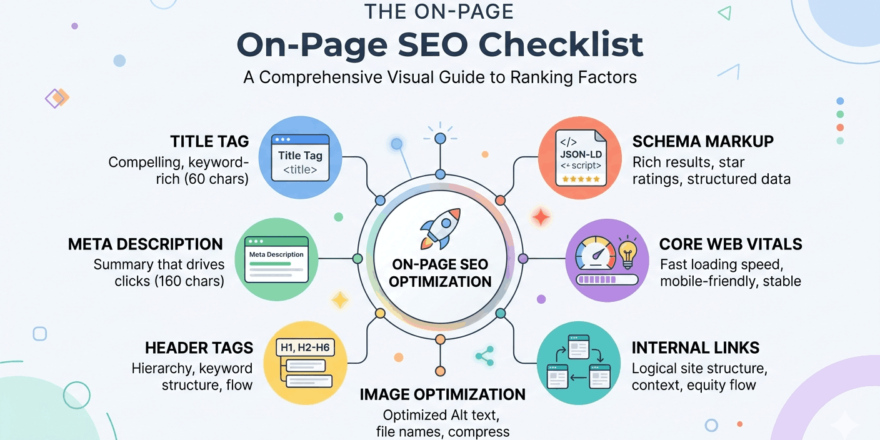
On-page SEO helps Google understand what your page is about. It also helps users quickly decide whether your result is worth clicking.
Add the Main Keyword in Important Areas
Use your main keyword naturally in:
- SEO title
- H1 heading
- First 100 words
- URL
- Meta description
- One or two H2 headings
- Image alt text
- Internal link anchor text
- Conclusion
For example, your main keyword is “how to get first page ranking on Google.” Use it in the title, introduction, and meta description, but do not repeat it unnaturally in every paragraph.
Write a Clickable SEO Title
Your title should include the keyword and a clear benefit.
Good examples:
- How to Get First Page Ranking on Google: 2026 SEO Guide
- How to Rank on Google First Page Without Paid Ads
- How to Improve Google Ranking: Complete SEO Checklist
A strong SEO title improves click-through rate because users instantly understand what the page offers.
Write a Strong Meta Description
Your meta description should summarize the benefit of the page.
Example:
Learn how to get first page ranking on Google with keyword research, helpful content, technical SEO, backlinks, local SEO, AI search optimization, and a practical SEO checklist.
Google may rewrite your snippet, but a clear meta description still helps users and search engines understand the page.
Use a Clean URL
A clean URL is easier to read and remember.
Good URL:
/how-to-get-first-page-ranking-on-google/
Bad URL:
/blog/post?id=12345
Google’s SEO Starter Guide recommends descriptive URLs because they help users understand whether a result is useful.
Optimize Images
Images can improve user experience and help explain complex ideas. Use clear, compressed images and place them near relevant text.
Add descriptive alt text, such as:
“SEO checklist showing how to get first page ranking on Google”
Avoid generic file names like:
“image1.jpg”
Google’s image SEO guidance recommends helping Google discover and understand your images through proper optimization.
Step 5: Improve Technical SEO
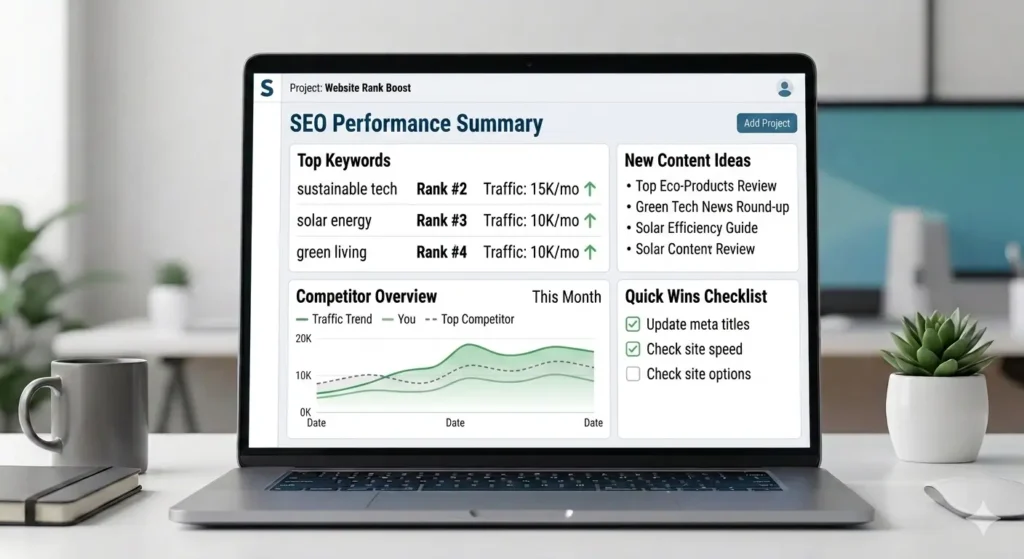
Technical SEO makes sure Google can crawl, index, and understand your website. Even great content may fail if your page has technical problems.
Make Sure Google Can Crawl and Index the Page
Use this technical SEO checklist:
- Page is not blocked by robots.txt
- Page has an indexable meta robots tag
- Page is included in the XML sitemap
- Internal links point to the page
- Canonical tag is correct
- Page is not duplicated across multiple URLs
- Website uses HTTPS
- Page loads properly on mobile
- Important content is visible in HTML
- There are no broken internal links
Google’s Search documentation explains that its crawlers discover pages and add them to the index, so making your site crawlable and understandable is a core part of SEO.
Improve Core Web Vitals
Core Web Vitals measure real-world user experience in three areas: loading performance, interactivity, and visual stability. Google recommends achieving good Core Web Vitals for Search success and a better user experience.
The three main metrics are:
| Metric | What It Measures | Good Target |
|---|---|---|
| LCP | Loading speed | 2.5 seconds or less |
| INP | Interactivity | 200 ms or less |
| CLS | Visual stability | 0.1 or less |
To improve Core Web Vitals:
- Compress images
- Use WebP images
- Enable caching
- Remove unnecessary plugins
- Use lightweight themes
- Minify CSS and JavaScript
- Improve hosting speed
- Reduce layout shifts
- Avoid too many popups
- Use lazy loading carefully
Make the Site Mobile-Friendly
Most users search from mobile devices. Your website should load quickly, display properly, and be easy to navigate on smaller screens.
A mobile-friendly page should have:
- Responsive design
- Readable font size
- Easy navigation
- Clickable buttons
- Fast loading speed
- No intrusive popups
- Clear content layout
Use HTTPS
HTTPS protects users and builds trust. A website without HTTPS may show browser warnings, which can reduce user confidence and conversions.
Step 6: Build Topical Authority
Topical authority means your website covers a subject deeply and consistently. If you want to rank higher on Google, do not rely on one article only.
For example, if your main topic is SEO, your website should have a complete content hub around SEO topics.
Create a Pillar Page
Your main pillar page can be:
How to Get First Page Ranking on Google
This page should cover the topic broadly and link to more specific supporting articles.
Build Supporting Cluster Articles
Here are cluster article ideas:
| Cluster Article | Target Keyword |
|---|---|
| How to Do Keyword Research for SEO | keyword research for SEO |
| On-Page SEO Checklist for Beginners | on-page SEO checklist |
| Technical SEO Checklist | technical SEO checklist |
| How to Build Backlinks Safely | how to build backlinks |
| How to Use Google Search Console | how to use Google Search Console |
| Local SEO Guide for Small Businesses | local SEO guide |
| How to Update Old Blog Posts for SEO | update old content SEO |
| How Long Does SEO Take? | how long does SEO take |
Each cluster article should link back to the pillar page. The pillar page should also link to each cluster article.
This structure helps users explore related topics and helps Google understand your website’s topical depth.
Step 7: Optimize for AI Overviews and AI Search
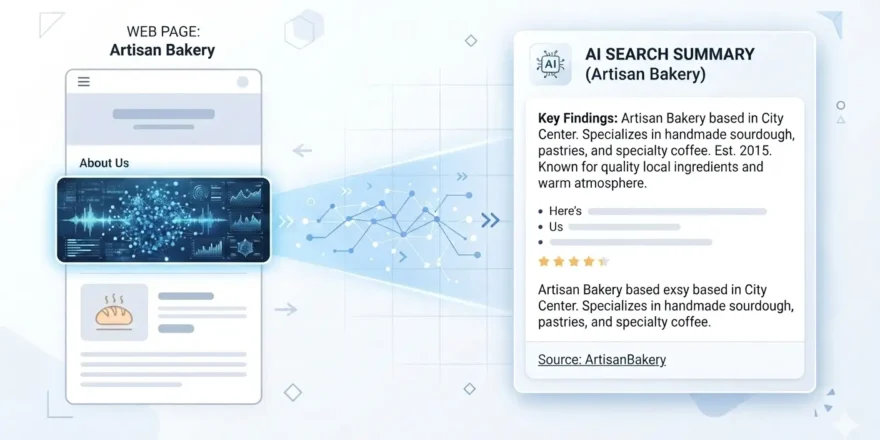
SEO in 2026 is not only about traditional organic rankings. Google now shows AI Overviews and AI Mode for many searches.
Google says SEO best practices are still relevant for generative AI search because these AI features are rooted in Google’s core Search ranking and quality systems. Google also says pages must be indexed and eligible to show in Search with a snippet to be eligible for generative AI features.
How to Optimize for AI Overviews
To increase your chances of appearing in AI search experiences, create content that is easy to understand, well structured, and useful.
Use these practices:
- Add direct answers under headings
- Use clear definitions
- Write step-by-step explanations
- Include FAQ sections
- Add original examples
- Show real expertise
- Keep content crawlable
- Use descriptive headings
- Add helpful visuals and videos
- Update old information
- Avoid vague generic writing
For example, instead of writing:
“SEO is good for ranking.”
Write:
“To get first page ranking on Google, choose a realistic keyword, match search intent, create helpful content, optimize on-page SEO, fix technical issues, build topical authority, earn backlinks, and track results in Google Search Console.”
This type of answer is clearer for users and easier for search systems to understand.
Avoid Fake AI SEO Hacks
Some people promote shortcuts like special AI files, fake schema, or tricks for AI search visibility. Google’s guidance says website owners do not need LLMS.txt files or special markup to appear in Google Search, including its generative AI capabilities.
The best AI SEO strategy is still strong SEO: helpful content, technical accessibility, authority, and a good user experience.
Step 8: Earn Backlinks and Brand Mentions
Backlinks are links from other websites to your website. They help search engines discover your pages and can support your authority when they come from relevant and trusted sources.
Backlinks still matter, but quality is more important than quantity.
Safe Link-Building Methods
Use ethical methods such as:
- Guest posting on relevant websites
- Publishing original research
- Creating free tools
- Digital PR
- Expert quotes
- Resource page outreach
- Partner links
- Podcast appearances
- Industry directories
- Local citations
- Case studies
For example, if you publish a useful SEO checklist or original industry research, other websites may link to it as a helpful resource.
Avoid Spammy Backlinks
Avoid:
- PBN links
- Fiverr spam links
- Automated comment links
- Irrelevant directory blasts
- Paid links without proper disclosure
- Link exchange schemes
- Mass-produced AI guest posts
Spammy backlinks may create short-term movement, but they can damage long-term SEO performance.
Step 9: Improve Local SEO for First Page Ranking
Local SEO helps businesses appear for location-based searches. This is especially important for service businesses, clinics, restaurants, agencies, stores, and local contractors.
Examples of local keywords include:
- SEO agency in Lahore
- dentist near me
- plumber in Dallas
- digital marketing agency in Karachi
- best coffee shop in New York
- web design company in Islamabad
Case Study
For example, a dental clinic in Lahore should not only target “dental clinic.” It should also create location-focused pages or sections for keywords like “dental clinic in Lahore,” “best dentist in Gulberg Lahore,” or “teeth whitening in Lahore.” These keywords are more likely to bring local patients who are ready to book an appointment.
Optimize Google Business Profile
Your Google Business Profile can help your business appear in Google Maps and local search results.
Optimize these areas:
- Business name
- Primary category
- Phone number
- Address
- Website URL
- Business hours
- Service areas
- Services
- Products
- Business description
- Photos
- Posts
- Questions and answers
- Reviews
Keep your profile updated. Incorrect hours, phone numbers, or addresses can hurt user trust.
Build Local Citations
Local citations are mentions of your business on other websites. These usually include your business name, address, and phone number.
Useful citation sources include:
- Yelp
- Bing Places
- Apple Maps
- Trustpilot
- Local business directories
- Industry directories
- Chamber of commerce websites
- Pakistani directories for Pakistan targeting
- U.S. directories for U.S. targeting
Get Customer Reviews
Reviews help users decide whether to trust your business. Ask satisfied customers to leave honest reviews and respond professionally to all reviews.
For local businesses, reviews can improve trust, click-through rate, and conversions.
Step 10: Use Google Search Console to Improve Rankings
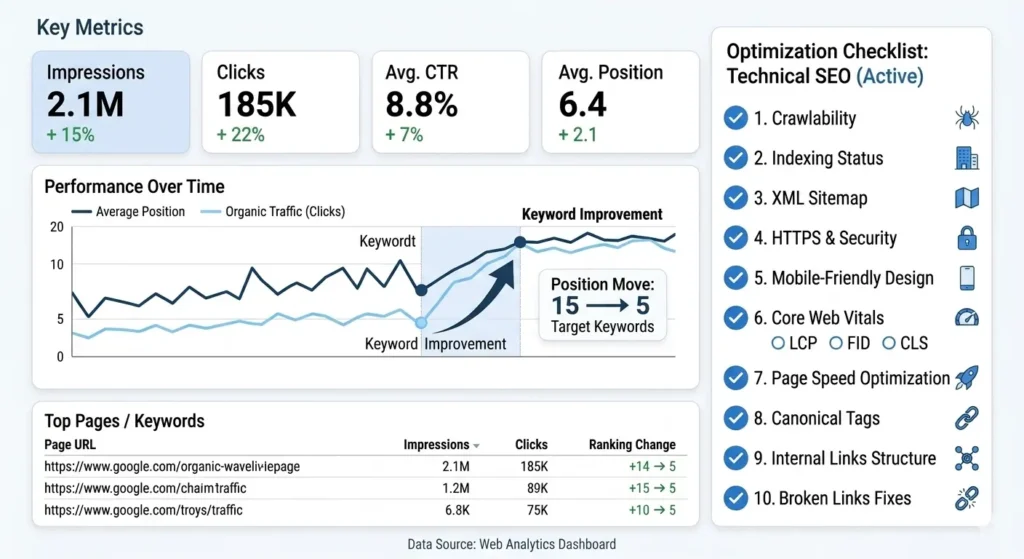
Google Search Console is one of the most useful tools for improving rankings. It shows which queries bring impressions and clicks to your website.
Google recommends Search Console for monitoring and optimizing website performance in Google Search, including reports for page experience and Core Web Vitals.
Find Keywords Ranking on Page Two
One of the fastest SEO wins is improving pages already ranking near page one.
Follow this process:
- Open Google Search Console.
- Go to Performance.
- Click Search Results.
- Open Queries.
- Filter average position from 8 to 20.
- Find keywords with high impressions and low clicks.
- Improve the pages ranking for those keywords.
These pages already have some visibility. A few improvements may help move them from page two to page one.
Example:
For example, if Google Search Console shows that your blog is ranking at position 13 for “how to improve Google ranking,” that page is already close to page one. Instead of writing a new article, you can update the existing page by adding missing sections, improving the SEO title, adding internal links, and answering related questions. This can be faster than starting from zero.
Improve Low CTR Pages
If a page has impressions but very few clicks, update:
- SEO title
- Meta description
- Introduction
- Year freshness
- Page structure
- FAQ section
- Featured image
- Search intent match
For example:
Weak title:
Google Ranking Tips
Better title:
How to Get First Page Ranking on Google: 2026 SEO Checklist
The second title is clearer, more specific, and more attractive for users.
Find Pages Losing Traffic
Compare the last 3 months with the previous 3 months. Look for pages where clicks or impressions are dropping.
Then check:
- Is the content outdated?
- Did competitors add better sections?
- Has search intent changed?
- Is the title less attractive?
- Are internal links weak?
- Are backlinks lost?
- Is the page slow?
- Are there indexing issues?
Submit Updated URLs for Indexing
After updating an important page, inspect the URL in Google Search Console and request indexing. This does not guarantee immediate ranking changes, but it helps Google discover your updates faster.
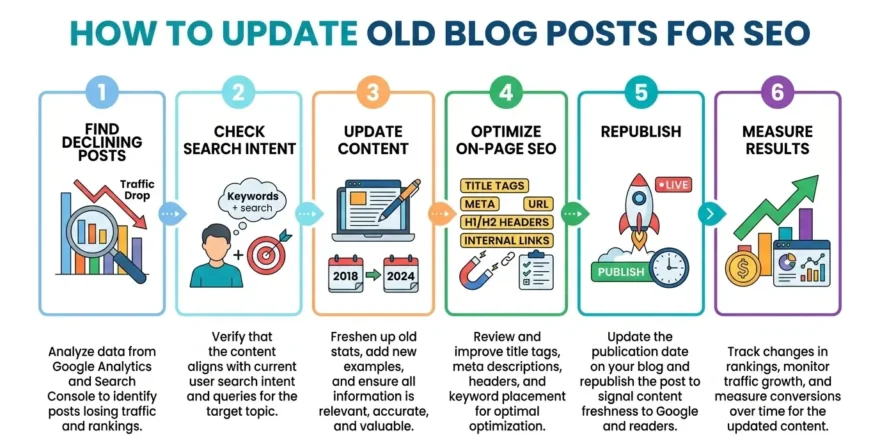
Step 11: Refresh Old Content Regularly
SEO is not a one-time task. Content needs updates because competitors improve, search behavior changes, and Google results evolve.
Google’s SEO Starter Guide notes that some changes may be reflected in a few hours, while others can take several months. This means SEO requires patience and continuous improvement.
When Should You Update Content?
Update your content when:
- Rankings drop
- Traffic declines
- Information becomes outdated
- Competitors publish better content
- Search intent changes
- Google adds new SERP features
- Screenshots become old
- Internal links are weak
- The article has missing FAQs
- The page has poor CTR
What Should You Update?
Refresh these elements:
- SEO title
- Meta description
- Introduction
- Headings
- Statistics
- Examples
- Screenshots
- FAQs
- Internal links
- External references
- Schema markup
- CTA
- Outdated recommendations
Refreshing old content can often be faster than writing a new article from scratch because the page may already have authority, impressions, and backlinks.
Step 12: Track Rankings and Results
You cannot improve SEO without tracking performance. Rankings are important, but they are not the only metric.
Important SEO KPIs
Track these metrics:
| KPI | Tool |
|---|---|
| Rankings | Ahrefs, Semrush, SERP tools |
| Organic clicks | Google Search Console |
| Impressions | Google Search Console |
| CTR | Google Search Console |
| Organic traffic | GA4 |
| Indexed pages | Google Search Console |
| Backlinks | Ahrefs, Semrush |
| Core Web Vitals | PageSpeed Insights, Search Console |
| Conversions | GA4, CRM, call tracking |
A page may rank well but still fail if it targets the wrong keyword or has a weak call to action. That is why you should measure both traffic and business results.
How Long Does It Take to Rank?
There is no fixed timeline. SEO speed depends on:
- Keyword difficulty
- Website authority
- Content quality
- Backlinks
- Technical SEO
- Internal linking
- Competition
- Search intent match
- Content freshness
- User experience
Low-competition keywords may improve faster. Competitive keywords can take months. For new websites, ranking usually takes longer because Google has fewer trust signals.
U.S. vs Pakistan SEO: What Changes?
The SEO process is mostly the same in every country, but competition and search behavior can be different.
SEO for the U.S.
U.S. keywords are often more competitive. You may compete with high-authority websites like Semrush, Ahrefs, WordStream, HubSpot, and other established brands.
To rank in the U.S., your content usually needs:
- Strong topical authority
- High-quality backlinks
- Detailed content
- Better examples
- Expert insights
- Strong E-E-A-T signals
- Better design and UX
- Updated information
SEO for Pakistan
Pakistan-focused SEO often has more opportunity in local and long-tail keywords. Examples include:
- SEO services in Lahore
- local SEO Pakistan
- digital marketing agency in Karachi
- ecommerce SEO Pakistan
- how to rank website on Google in Pakistan
To rank in Pakistan, add local examples, city-based pages, Pakistani business context, local citations, and content that matches how people search in Pakistan.
Common Mistakes That Stop You from Ranking on Page One
Avoid these common SEO mistakes:
- Targeting keywords that are too competitive
- Ignoring search intent
- Writing thin content
- Copying competitor content
- Keyword stuffing
- Using weak titles and meta descriptions
- Ignoring internal linking
- Having slow page speed
- Not fixing indexing issues
- Not building topical authority
- Ignoring backlinks
- Not updating old content
- Creating duplicate pages
- Ignoring mobile users
- Not using Google Search Console
The biggest mistake is treating SEO as a one-time task. SEO needs consistent improvements.
30-Day Action Plan to Improve Google Ranking
Here is a practical 30-day plan to improve your Google ranking.
Week 1: Research
- Choose your primary keyword
- Find secondary keywords
- Analyze the top 5 competitors
- Check content type, format, and angle
- Identify missing sections
- Build a keyword map
- Prepare your content brief
Week 2: Content
- Write the full article
- Add original examples
- Add tables and checklists
- Add FAQs
- Optimize title and meta description
- Use proper heading structure
- Add images with alt text
- Add internal links
Week 3: Technical SEO
- Check indexing
- Submit sitemap
- Fix broken links
- Improve page speed
- Compress images
- Check mobile usability
- Fix duplicate content
- Add schema where relevant
Week 4: Authority and Tracking
- Build internal links from old pages
- Share the content on social media
- Reach out for backlinks
- Submit the URL in Search Console
- Track impressions and clicks
- Improve low CTR titles
- Plan supporting cluster articles
Final Checklist to Get First Page Ranking on Google
Use this checklist before publishing or updating any important page:
- Choose one clear target keyword
- Match search intent
- Analyze top-ranking competitors
- Create better and more helpful content
- Add keyword in title, H1, URL, intro, and headings
- Write a strong meta description
- Use clean URL structure
- Add internal links
- Add relevant external links
- Add original visuals
- Optimize image alt text
- Improve mobile speed
- Fix indexing issues
- Build topical authority
- Earn relevant backlinks
- Optimize for AI Overviews
- Update content regularly
- Track results in Google Search Console
FAQs
Can I get on the first page of Google for free?
Yes, you can get on the first page of Google for free through organic SEO. You need keyword research, helpful content, on-page SEO, technical SEO, internal links, backlinks, and regular updates. Paid ads are not required for organic ranking.
How do I rank on Google first page?
To rank on Google first page, choose the right keyword, match search intent, create better content than competitors, optimize your title and headings, fix technical SEO issues, build internal links, earn quality backlinks, and track performance in Google Search Console.
How long does it take to rank on Google’s first page?
It depends on keyword difficulty, website authority, competition, content quality, backlinks, and technical SEO. Some pages improve in weeks, while competitive keywords may take months or longer.
Do backlinks still matter for Google ranking?
Yes, backlinks still matter when they come from relevant and trusted websites. However, spammy backlinks can hurt your SEO. Focus on quality and relevance instead of quantity.
Is content length important for ranking?
There is no perfect word count for SEO. Your content should be long enough to fully answer the user’s search intent. For competitive topics, detailed and well-structured content usually performs better.
How do I rank a new website on Google?
Start with low-competition long-tail keywords. Publish helpful content consistently, build internal links, improve technical SEO, create topic clusters, and earn backlinks gradually.
How can I move from page 2 to page 1 on Google?
Find keywords ranking between positions 8 and 20 in Google Search Console. Improve the title, add missing content, update outdated sections, strengthen internal links, improve page speed, and build relevant backlinks.
Does Google Business Profile help first-page ranking?
Yes, Google Business Profile helps local businesses appear in Google Maps and local search results. It is important for businesses that serve specific cities or service areas.
How do I optimize for Google AI Overviews?
Create clear, helpful, well-structured content with direct answers, step-by-step explanations, FAQs, original examples, crawlable HTML, and strong topical authority. Google says standard SEO best practices still apply to generative AI features in Search.
Why is my website not ranking on Google?
Your website may not rank because of poor keyword targeting, weak content, indexing problems, slow speed, low authority, no backlinks, duplicate content, poor user experience, or mismatch with search intent.
Conclusion
Getting first page ranking on Google is not about tricks. It is about building a page that deserves to rank.
Start with the right keyword. Study the SERP. Understand search intent. Create helpful content. Optimize your title, headings, URL, images, and internal links. Fix technical SEO problems. Improve Core Web Vitals. Build topical authority. Earn relevant backlinks. Use Google Search Console. Keep updating your content.
When you follow this process consistently, your website has a stronger chance of ranking on Google’s first page and attracting traffic that can turn into leads, sales, and long-term business growth.