Google Business Profile Optimization: 2026 Local SEO Checklist to Rank Higher on Google Maps
Google Business Profile Optimization is one of the most important local SEO strategies for businesses that want to appear in Google Search, Google Maps, and the local pack. Whether you run a service-area business, clinic, restaurant, law firm, home repair company, agency, salon, or retail store, your Google Business Profile often becomes the first place customers check before they call, visit, request directions, or book a service.
In 2026, simply creating a Google Business Profile is not enough. Local competition is stronger, customers compare businesses quickly, and Google needs accurate signals to understand what your business does, where you operate, and why you deserve visibility. Google explains that local ranking is mainly based on relevance, distance, and prominence, which means your profile needs to be accurate, complete, trustworthy, and actively managed.
This complete guide covers Google Business Profile Optimization, a practical GBP checklist, competitor audit steps, service-area business strategy, Google Maps SEO, review management, and common mistakes to avoid.
What Is Google Business Profile Optimization?
Google Business Profile Optimization is the process of improving your business listing so it performs better in local search results. It includes updating your business name, category, address, phone number, website, business hours, services, products, photos, posts, reviews, Q&A, attributes, and booking or contact links.
The main goal is to help Google and potential customers clearly understand your business. When someone searches for terms like “plumber near me,” “best dentist in London,” “SEO agency near me,” or “Google Business Profile management service,” Google compares local businesses based on relevance, location, reputation, and profile quality.
A well-optimized profile can improve visibility in Google Maps ranking, local pack ranking, branded searches, “near me” searches, and service-based location searches. Google Business Profile is free, and Google says businesses can use it to appear on Search and Maps while adding photos, offers, posts, and other helpful details.
For local businesses, GBP is not just a listing. It is a conversion page. Customers use it to check reviews, compare photos, read services, see opening hours, visit your website, get directions, call your business, or request a quote.
Why Google Business Profile Optimization Matters for Local SEO
Google Business Profile SEO is important because local customers usually search with strong intent. A person searching “emergency electrician near me” or “best HVAC repair in Manchester” is not just browsing. They are often ready to contact a business immediately.
An optimized profile helps your business appear for more relevant searches and increases the chances that customers choose you instead of a competitor. It also supports your website’s local SEO because your profile, local landing pages, reviews, citations, and business information work together to build trust.
Google recommends keeping business information complete and accurate because complete profiles help customers understand what a business does, where it is, and when they can visit. Google also states that businesses with complete and accurate information are more likely to show in relevant local searches.
This is why Google Business Profile Optimization should be treated as an ongoing marketing activity, not a one-time setup. Businesses that update their photos, respond to reviews, publish blog posts, add services, improve descriptions, and monitor competitors usually build stronger local visibility over time.
How Google Ranks Local Business Profiles
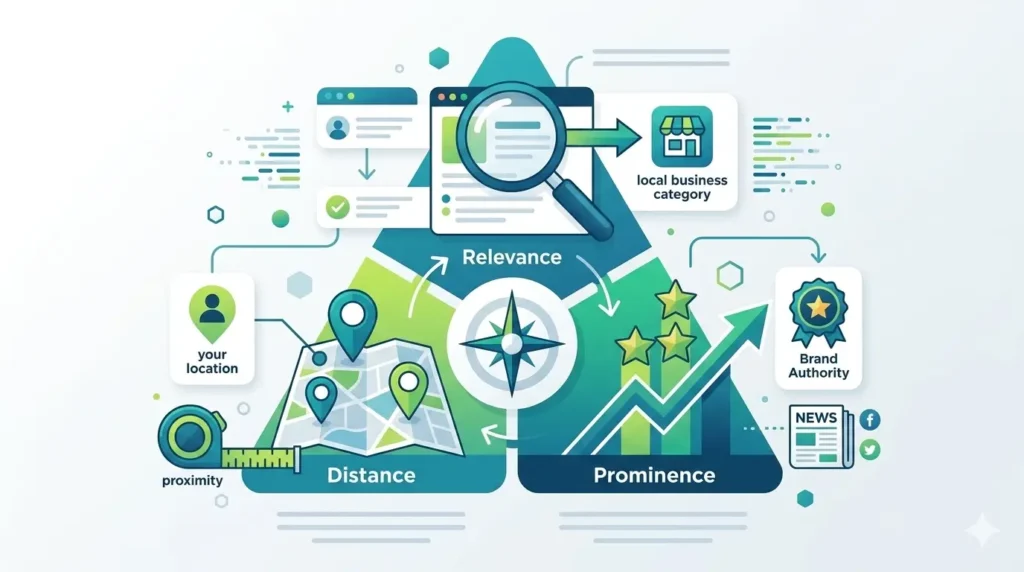
Google’s local ranking system is built around three major factors: relevance, distance, and prominence. Understanding these factors helps you optimize your Google Business Profile more strategically.
Relevance
Relevance means how closely your Business Profile matches what someone is searching for. If your profile clearly explains your services, products, categories, and location, Google can better connect your business with the right queries.
For example, a dental clinic that lists “emergency dentist,” “teeth whitening,” “dental implants,” and “family dentistry” has more relevance signals than a clinic with only a basic profile. Your primary category, secondary categories, business description, services, products, posts, Q&A, and website content all help build relevance.
Distance
Distance refers to how far your business is from the person searching or from the location mentioned in the search query. If someone searches “coffee shop near me,” Google considers nearby businesses. If someone searches “coffee shop in Birmingham,” Google considers businesses relevant to that area.
You cannot fully control distance, but you can make sure your address, map pin, service area, and website location pages are accurate. For service-area businesses, this is especially important because you may serve customers at their location rather than from a storefront.
Prominence
Prominence is about how well-known and trusted your business appears online. Reviews, ratings, links, citations, brand mentions, website authority, local content, and overall reputation can all support prominence.
A business with strong reviews, consistent NAP information, high-quality local citations, helpful website content, and regular GBP updates usually has stronger prominence signals than a business with an incomplete or inactive listing.
Complete Google Business Profile Optimization Checklist for 2026
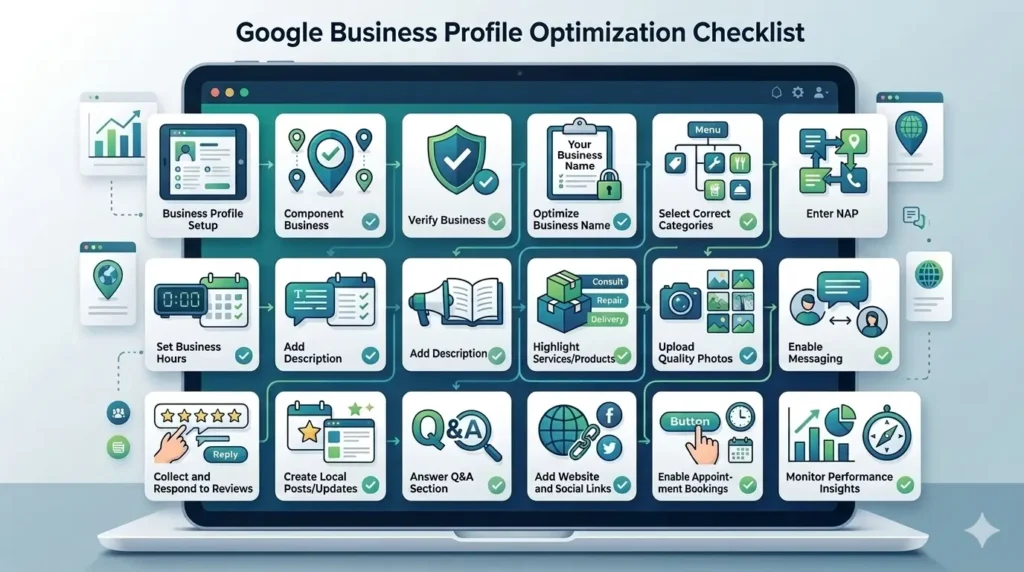
A strong Google Business Profile checklist should cover every major field that affects visibility and conversions. Below is a practical checklist you can use for local SEO, Google Maps SEO, and GBP management.
Use the Correct Business Name
Your business name should match your real-world business name. Do not add extra keywords, city names, or services unless they are part of your official business name. Google’s guidelines say businesses should represent themselves accurately and consistently.
For example, if your real business name is “Bright Dental Care,” avoid using “Bright Dental Care Best Dentist London Emergency Dental Clinic” as your GBP name. Keyword stuffing can make your profile look spammy and may create compliance problems.
Choose the Right Primary and Secondary Categories
Your primary category is one of the strongest relevance signals in Google Business Profile Optimization. Choose the category that best describes your main business activity. A roofing company should choose a roofing-related category, while a law firm should choose the most accurate legal category available.
Secondary categories should support your real services. Do not add unrelated categories just to appear in more searches. A focused profile is usually stronger than a confusing one.
Keep NAP Details Consistent
NAP stands for name, address, and phone number. Your NAP information should be consistent across your Google Business Profile, website, directories, social media profiles, citations, and local landing pages.
Inconsistent business information can confuse customers and weaken trust signals. Make sure your phone number, address, website URL, business name, opening hours, and service area match across the web.
Add Accurate Business Hours and Holiday Hours
Business hours are important for both customers and Google. If your hours are wrong, customers may call or visit when you are closed, which can lead to poor user experience and negative reviews.
Update regular hours, holiday hours, seasonal hours, appointment-only availability, emergency hours, and temporary closures. Google allows verified businesses to edit details such as address, hours, contact information, and photos to keep profiles accurate and helpful.
Write a Keyword-Optimized Business Description
Your business description should explain who you are, what you offer, where you operate, and why customers should choose you. Use keywords naturally, but avoid keyword stuffing.
A good description can include your main services, service areas, experience, unique selling points, certifications, guarantees, and customer benefits. For example, a local SEO agency may mention Google Business Profile Optimization, Google Maps SEO, local SEO services, GBP audit, review management, and local landing page strategy.
Add Services and Products
Services and products help customers understand what your business offers. Service businesses should add each core service separately with a clear description. Product-based businesses should add product names, categories, prices where suitable, images, and descriptions.
This supports long-tail keyword visibility. For example, an HVAC company can add “AC repair,” “boiler repair,” “furnace installation,” “emergency HVAC service,” and “commercial HVAC maintenance.” A digital agency can add “Google Business Profile management service,” “local SEO audit,” “Google Maps ranking service,” and “GBP optimization service.”
Upload High-Quality Photos and Videos
Photos help customers trust your business before they contact you. Add real images of your storefront, office, team, products, vehicles, equipment, completed projects, before-and-after work, and customer experience.
Google says businesses can personalize their profile with photos and manage customer reviews to attract new customers. Real photos are usually more trustworthy than stock images because they show proof that your business is active and legitimate.
Publish Google Business Profile Posts
Google Business Profile posts allow you to share updates, offers, announcements, and event details directly with customers on Search and Maps.
Posts can support engagement and conversions. You can publish posts about seasonal offers, new services, case studies, project updates, customer tips, limited-time promotions, company news, or local events. For example, a roofing company can post storm damage advice, while a clinic can post appointment reminders or health tips.
Manage Reviews and Responses
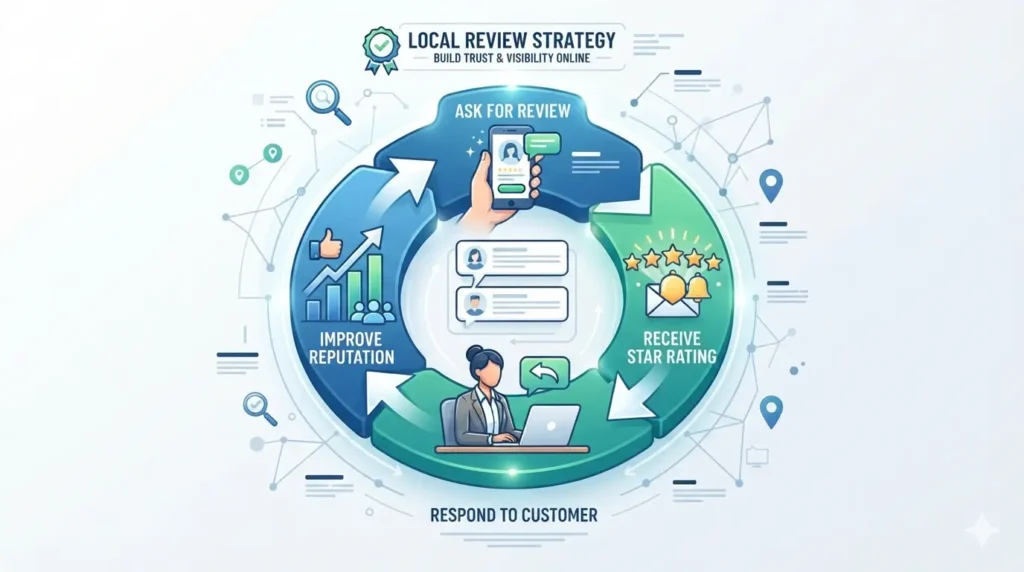
Reviews are one of the most important trust signals for local SEO. Encourage real customers to leave honest reviews after a completed service, purchase, appointment, or consultation.
Respond to both positive and negative reviews professionally. Thank satisfied customers and handle complaints calmly. Review responses show that your business is active and values customer feedback.
Avoid fake reviews, paid reviews, or review manipulation. Google has policies around fake engagement, and review spam can damage trust and visibility.
Use Q&A, Messaging, Bookings, and Attributes
The Q&A section can help answer common customer questions before they call. Add helpful answers about pricing, service areas, appointment process, parking, emergency availability, payment options, and business policies.
Messaging, booking links, menu links, appointment URLs, and attributes can also improve conversions. These features reduce friction and make it easier for customers to take action directly from your profile.
How to Add Keywords to Google Business Profile Naturally?
Keyword placement is important, but it must be natural. Google Business Profile keywords should help customers understand your business, not make the profile look spammy.
You can use keywords in your business description, service descriptions, product descriptions, posts, Q&A answers, image captions where relevant, review response language, and website landing pages. For example, instead of repeating “Google Business Profile Optimization” unnaturally, write helpful phrases like “We help local businesses improve Google Business Profile SEO, Google Maps visibility, and local pack performance.”
Good keyword clusters to include naturally are:
Google Business Profile Optimization, Google Business Profile SEO, Google Maps ranking, local SEO, local pack ranking, Google Business Profile checklist, Google Business Profile audit, Google My Business optimization, GBP management service, Google review strategy, service-area business SEO, Google Business Profile categories, GBP posts, GBP photos, GBP products, and GBP Q&A.
The best approach is to match keywords with real services. If you do not offer a service, do not add it just for SEO. Accuracy is more important than keyword volume.
How to Audit Competitors’ Google Business Profiles?
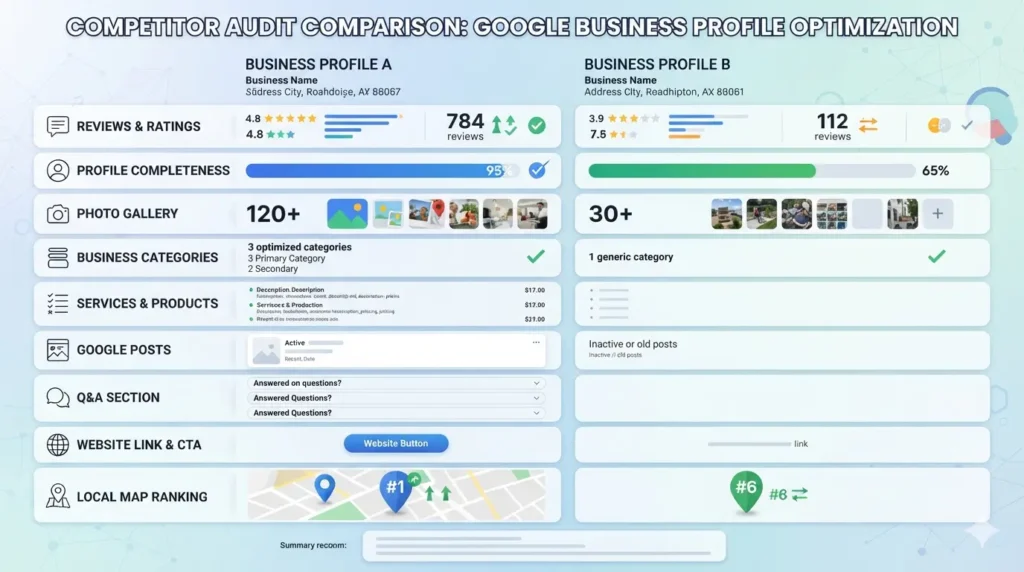
A competitor audit helps you understand why other businesses may be ranking above you in Google Maps or the local pack. This is one of the most useful parts of Google Business Profile Optimization because it shows what your market expects.
Start by searching your main keywords, such as “dentist near me,” “roof repair in Dallas,” “local SEO agency in London,” or “Google Business Profile optimization service.” Then review the top-ranking competitors.
Check their primary category, secondary categories, business description, review count, review rating, review frequency, photo quantity, photo quality, services, products, posts, Q&A section, website link, appointment link, and local landing pages.
Also check whether they have strong citations, backlinks, local content, and consistent NAP information across directories. If competitors have more reviews, better photos, stronger service descriptions, and more focused local pages, your strategy should close those gaps.
A strong GBP competitor audit should answer these questions:
- Which categories are top competitors using?
- How many reviews do they have?
- How often do they receive new reviews?
- What keywords appear in their services and descriptions?
- Do they publish Google Business Profile posts?
- Do they have better photos or project proof?
- Do they use location-specific landing pages?
- Are their citations consistent across the web?
- What makes their profile more trustworthy than yours?
Use this information to improve your profile ethically. Do not copy competitors. Build a better, more complete, more trustworthy profile.
Google Business Profile Optimization for Service-Area Businesses
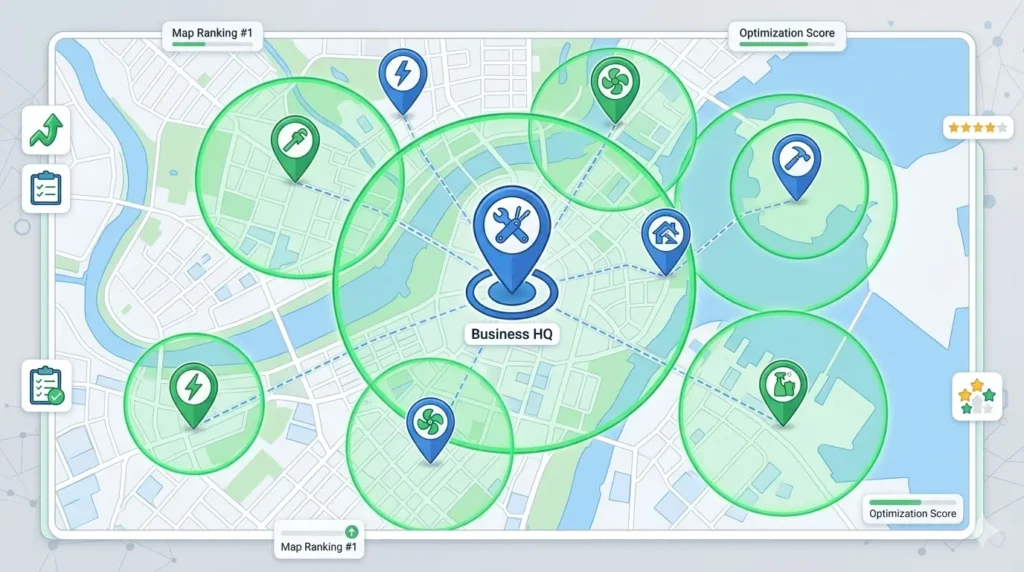
Service-area businesses need a slightly different GBP strategy because customers usually do not visit a storefront. Examples include plumbers, electricians, HVAC companies, roofers, cleaners, locksmiths, pest control companies, mobile mechanics, and home repair contractors.
If you serve customers at their location, set your service area correctly. Avoid using fake addresses, virtual offices, or addresses where customers cannot actually visit. Google’s business representation guidelines are designed to help businesses avoid inaccurate or misleading information.
Service-area businesses should optimize services carefully. Instead of adding only one broad service, break services into specific categories. For example, a plumbing company can add emergency plumbing, drain cleaning, water heater repair, pipe leak repair, bathroom plumbing, and commercial plumbing.
Location pages on your website are also important. If you serve multiple cities, create useful local landing pages for major service areas. Each page should include unique content, service details, local proof, FAQs, reviews, and a clear call to action.
For example:
- AC Repair in Manchester
- Emergency Plumber in Birmingham
- Roof Repair in Austin
- Pest Control in Dallas
- Google Business Profile Optimization Service in London
This connects your website, GBP, and local SEO strategy into one stronger system.
Common Google Business Profile Mistakes to Avoid
Many businesses fail at Google Business Profile SEO because they either ignore their profile or try to manipulate it. Both approaches can hurt performance.
Common mistakes include using keyword stuffing in the business name, choosing the wrong category, adding fake locations, creating duplicate profiles, ignoring reviews, using stock photos only, leaving outdated hours, not adding services, not using posts, and failing to track performance.
Another mistake is treating GBP optimization as a one-time task. Your competitors may be adding reviews, uploading photos, publishing posts, and improving their website every month. If your profile stays inactive, it can lose trust and engagement over time.
You should also avoid using the same generic description as competitors. Your profile should clearly explain what makes your business different, such as faster response times, certified staff, emergency service, local experience, transparent pricing, warranties, or specialist expertise.
How to Track Google Business Profile Performance
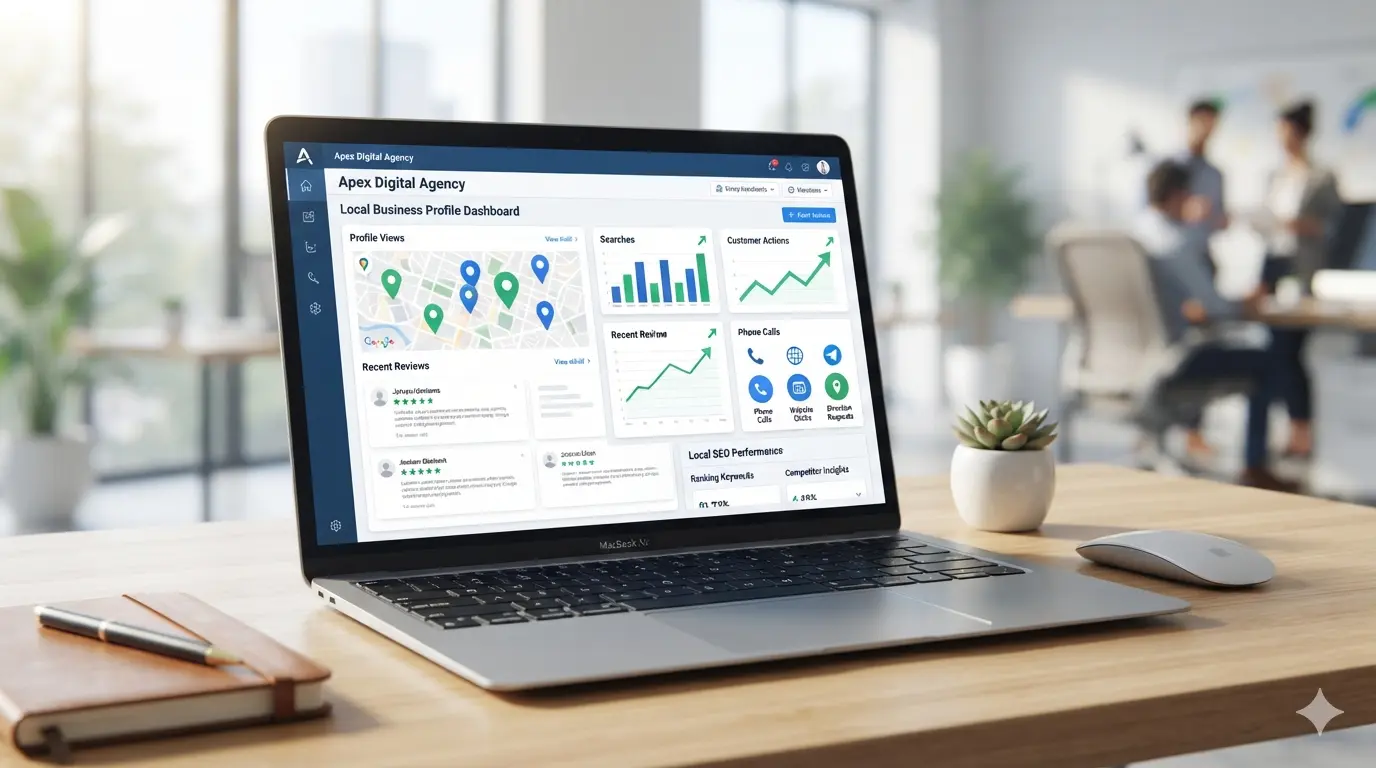
Tracking performance helps you understand whether your optimization work is producing results. Review your profile performance regularly and look at customer actions such as calls, website clicks, direction requests, bookings, messages, and profile views.
You should also track keyword rankings manually or with local SEO tools. Search from your target area and check whether your business appears for important keywords like “near me” searches, service keywords, and city-based searches.
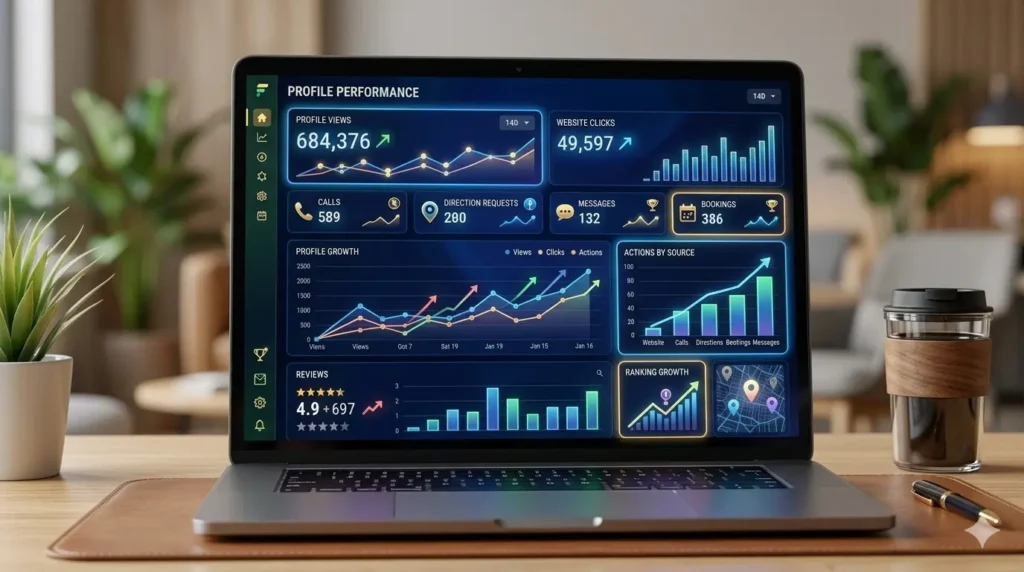
Useful metrics include:
- Profile views
- Google Maps views
- Search views
- Calls from GBP
- Website clicks
- Direction requests
- Booking clicks
- Message enquiries
- Review growth
- Average rating
- Photo engagement
- Ranking changes for target keywords
If your profile receives many views but few calls, your conversion elements may be weak. Improve your photos, reviews, service descriptions, offers, and calls to action. If your profile receives few views, your relevance, category selection, website authority, citations, or local content may need improvement.
Google Business Profile Optimization for More Leads
Ranking higher is useful, but the real goal is getting more leads. A profile that ranks but does not convert is not fully optimized.
To increase leads, make your profile clear, trustworthy, and action-focused. Use real photos, detailed services, strong review responses, updated hours, helpful posts, and clear contact options. Add booking links, quote request links, service pages, and appointment URLs where relevant.
Your website should also match your profile. If your GBP promotes “emergency plumbing,” your website should have a strong emergency plumbing page. If your profile lists “Google Business Profile Optimization service,” your website should explain that service in detail.
The stronger the connection between your GBP, website, reviews, and local content, the easier it becomes for customers to trust your business.
FAQs About Google Business Profile Optimization
What is Google Business Profile Optimization?
Google Business Profile Optimization is the process of improving your business listing so it ranks better in Google Search, Google Maps, and local pack results. It includes optimizing categories, services, photos, posts, reviews, Q&A, business description, and contact details.
How do I rank higher on Google Maps?
To rank higher on Google Maps, improve your relevance, distance accuracy, and prominence. Use the right category, complete your profile, add services, collect genuine reviews, upload photos, build local citations, improve your website, and keep business information accurate.
Does Google Business Profile help local SEO?
Yes. Google Business Profile is one of the most important tools for local SEO because it helps your business appear in local searches and Google Maps. A complete and active profile can increase calls, website clicks, direction requests, and local visibility.
How often should I update my Google Business Profile?
You should review your profile at least once a month. Add fresh photos, publish posts, respond to reviews, update hours, check services, review performance, and compare your profile against competitors.
What are the best keywords for Google Business Profile SEO?
Good keywords depend on your business, but common GBP keyword clusters include Google Business Profile Optimization, Google Business Profile SEO, Google Maps ranking, local SEO, local pack ranking, Google Business Profile checklist, GBP audit, reviews, categories, services, products, photos, posts, and service-area business SEO.
Can service-area businesses use Google Business Profile?
Yes. Service-area businesses can use Google Business Profile to show the areas they serve. This is useful for plumbers, electricians, HVAC companies, cleaners, roofers, locksmiths, and other businesses that visit customers at their location.
What is a Google Business Profile audit?
A Google Business Profile audit is a review of your profile’s categories, services, reviews, photos, posts, Q&A, business information, website links, citations, and competitor performance. It helps identify gaps that may be limiting your local visibility.
Final Thoughts
Google Business Profile Optimization in 2026 requires more than filling out basic business details. To compete in Google Maps and the local pack, your profile must be complete, accurate, active, and trusted.
The best strategy combines a full GBP checklist, strong local SEO, competitor auditing, service-area optimization, review management, Google Business Profile posts, high-quality photos, accurate categories, and a website that supports your local keywords.
If you want better Google Maps ranking, more local calls, stronger visibility, and higher-quality leads, treat your Google Business Profile as a core local SEO asset. The businesses that keep improving their profiles consistently are the ones most likely to win attention, trust, and customers in local search.