Website Redesign Checklist: 18 Steps to Relaunch Without Losing SEO
A website redesign checklist helps you improve your site’s design, user experience, speed, content, and conversions without damaging your SEO. A redesign is not only about changing colors, fonts, or layouts. It can affect your rankings, organic traffic, leads, crawlability, redirects, and customer journey.
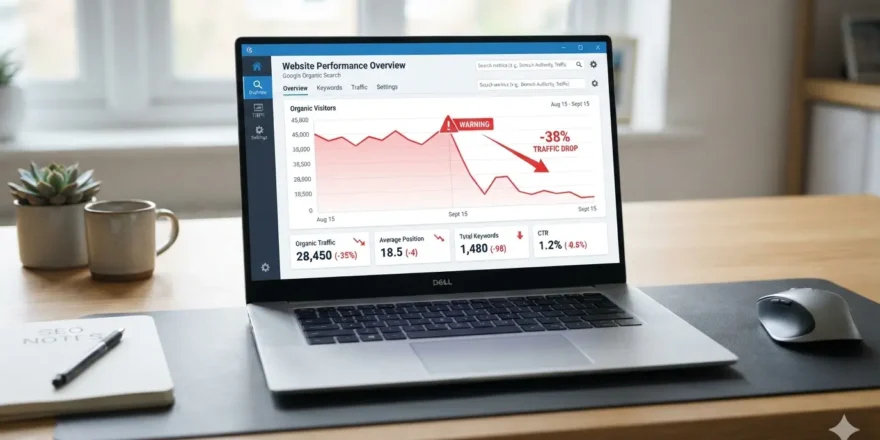
If you redesign your website without a clear plan, you may face broken links, lost rankings, missing pages, slow load times, poor mobile experience, and lower conversions. This checklist gives you a practical website redesign process from planning to launch and post-launch monitoring.
Ready to Redesign Your Website Without Losing Traffic?
What Is a Website Redesign Checklist?
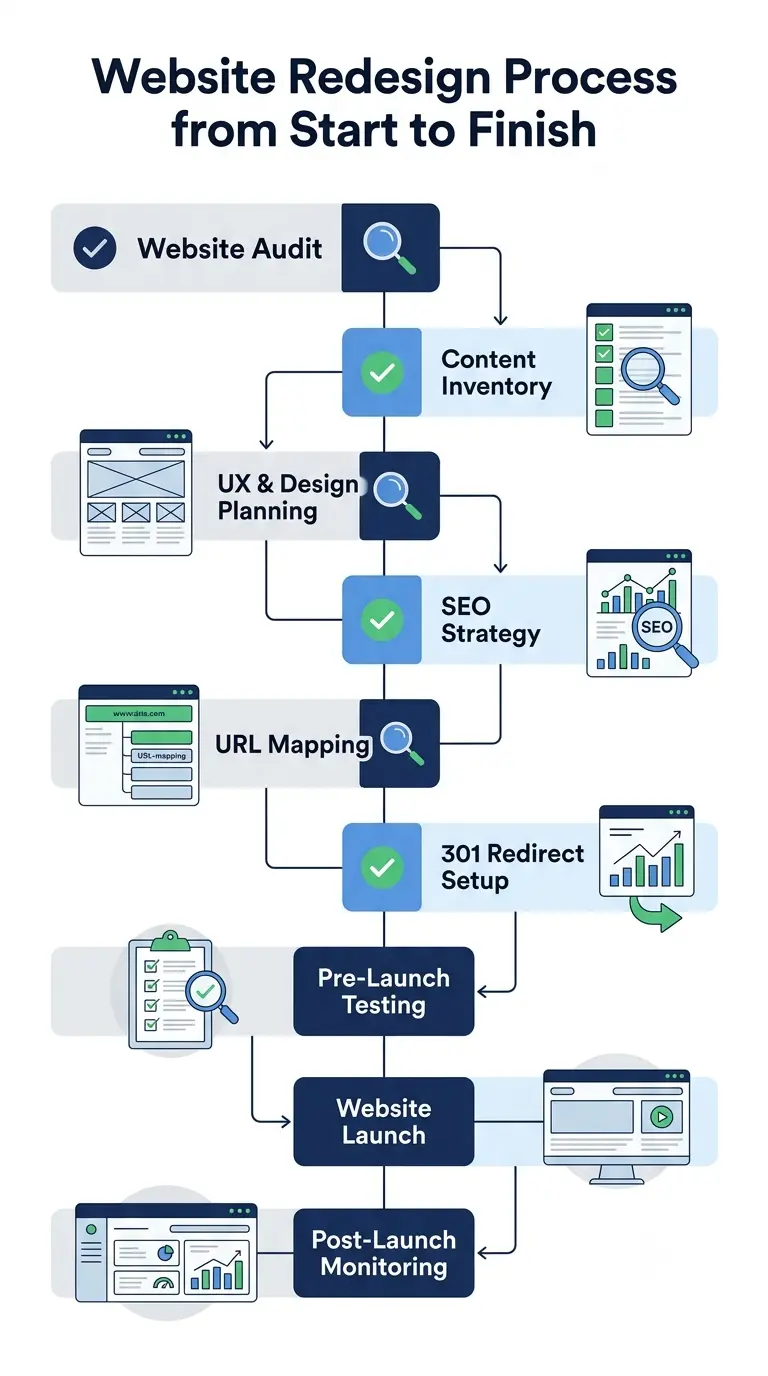
A website redesign checklist is a step-by-step plan used before, during, and after a website relaunch. It helps you review your current website, protect important SEO assets, improve user experience, and launch the new version safely.
A good checklist should cover strategy, content, design, technical SEO, redirects, analytics, testing, and performance monitoring.
Why Website Redesign SEO Matters?
Website redesign SEO matters because even small changes can affect how search engines understand your site. Changing URLs, removing content, updating navigation, or blocking pages by mistake can cause ranking drops.
Planning a Redesign? Let’s Protect Your SEO First
The goal is simple: improve the website without losing the traffic, backlinks, and rankings you already have.
1. Define Clear Redesign Goals
Start by deciding why you are redesigning the website. Do you want more leads, better conversions, stronger branding, faster pages, improved mobile usability, or better SEO performance?
Clear goals help your team avoid random design decisions. Every page, CTA, layout, and content update should support a business goal.
2. Audit Your Current Website
Before building anything new, review your existing website. Check organic traffic, keyword rankings, top landing pages, conversion rate, bounce rate, backlinks, page speed, crawl errors, and indexed pages.
This audit shows what is working, what needs improvement, and what must be protected during the redesign.
Chat With Us About Your Website Redesign
3. Identify High-Value Pages
Not all pages carry the same SEO value. Some pages bring traffic. Some convert leads. Some have strong backlinks. Some support important customer journeys.
Make a list of your most valuable pages before redesigning the site. These pages should be preserved, improved, or redirected carefully.
4. Create a Content Inventory
Build a spreadsheet of all existing URLs. Include the page title, H1, meta description, target keyword, traffic, backlinks, conversion value, and final action.
Use simple labels such as keep, update, merge, redirect, or remove. This content inventory becomes the base of your website migration checklist.
5. Map Keywords to Important Pages
Create a keyword map before writing or moving content. Each important page should target one main keyword and a few related terms.
For example, this blog targets “website redesign checklist” as the primary keyword. Related terms include website redesign process, website redesign SEO, website migration checklist, website relaunch checklist, and redesign a website without losing traffic.
Keyword mapping prevents duplicate targeting and keeps your content structure focused.
6. Review Site Structure and Navigation
A redesign is the right time to improve your information architecture. Review your main menu, footer links, service pages, blog categories, internal links, and page hierarchy.
Users should be able to find key information quickly. Search engines should also be able to crawl your important pages without confusion.
7. Plan Wireframes Before Visual Design
Do not start with colors and images first. Start with wireframes.
Wireframes help you plan page sections, content placement, CTA positions, forms, trust signals, and mobile layouts. This keeps the redesign focused on usability and conversions, not just appearance.
8. Improve Mobile Experience
Your new website must work smoothly on mobile devices. Check font size, button spacing, navigation, forms, image scaling, page speed, and tap targets.
A mobile-first redesign improves user experience and helps visitors complete actions without frustration.
9. Refresh and Improve Content
Do not simply copy old content into the new design. Improve weak headings, outdated service copy, thin pages, duplicate sections, unclear CTAs, and old blog posts.
Every important page should answer the user’s question clearly and guide them toward the next step.
10. Optimize On-Page SEO
Before launch, review on-page SEO for every key page. Check title tags, meta descriptions, H1 tags, H2 headings, image alt text, internal links, schema markup, and canonical tags.
Keep titles clear, useful, and keyword-focused. Avoid stuffing keywords. Write for users first, then optimize for search engines.
Don’t Relaunch Blind. Get an SEO-Safe Redesign Plan
11. Preserve URLs Where Possible
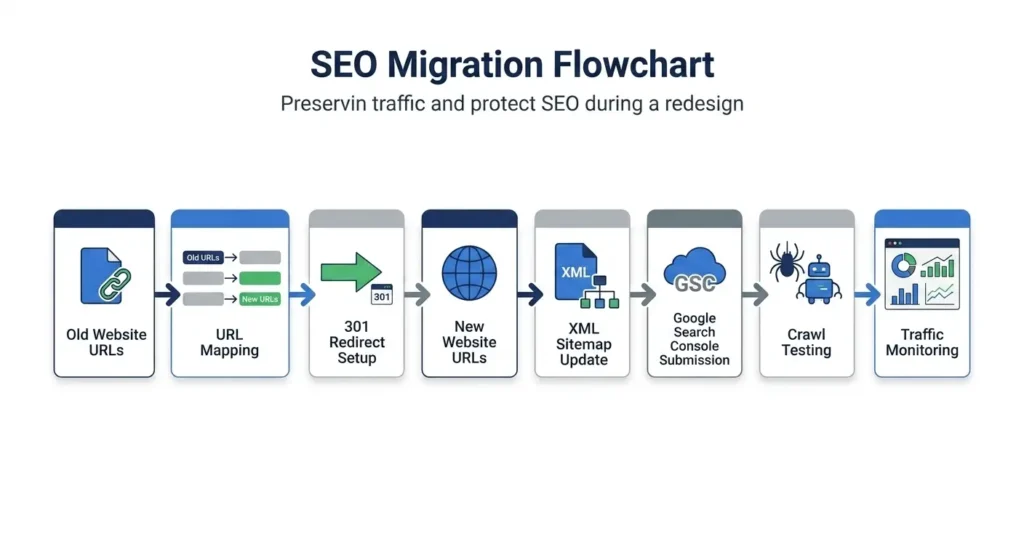
If an existing URL already ranks well, avoid changing it unless there is a strong reason. Stable URLs reduce migration risk and help preserve rankings, backlinks, and crawl signals.
If URLs must change, document every old and new URL before launch.
12. Build a 301 Redirect Map
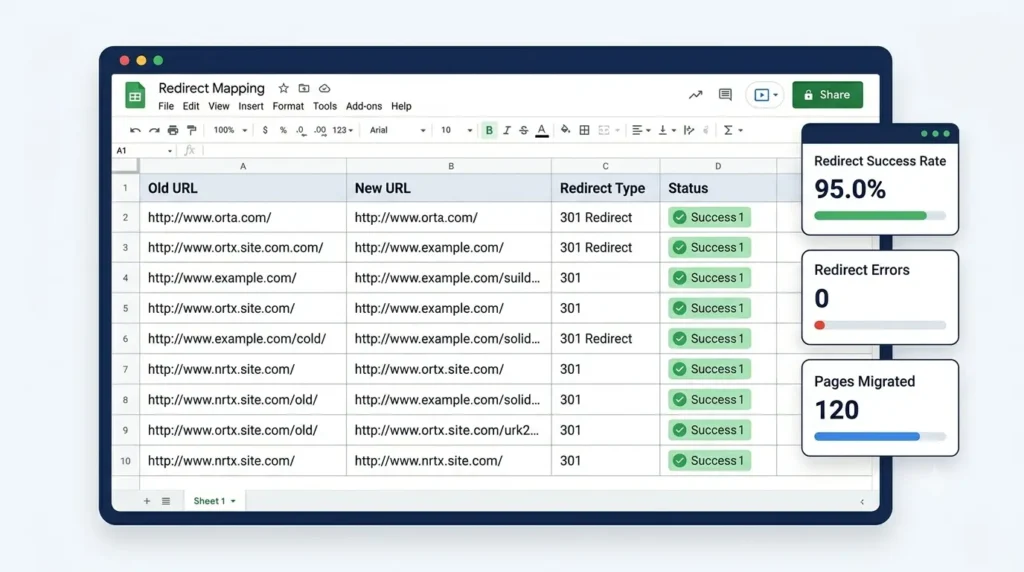
A 301 redirect map is one of the most important parts of website redesign SEO. It tells browsers and search engines where an old page has moved.
Map every changed URL to the most relevant new URL. Avoid redirecting everything to the homepage. Also avoid redirect chains, redirect loops, and broken redirect paths.
13. Improve Page Speed and Core Web Vitals
A beautiful website can still fail if it loads slowly. Optimize images, reduce unnecessary scripts, use caching, improve hosting, minify code, and test page templates.
Focus on faster loading, smoother interaction, and stable layouts. These improvements help both users and SEO performance.
Want Us to Handle the Redesign for You?
14. Test Forms, Buttons, and Conversion Paths
A redesign can break important business functions. Test contact forms, quote forms, checkout pages, booking systems, newsletter signups, call buttons, lead magnets, and thank-you pages.
If users cannot contact you, buy from you, or request a quote, the redesign is not ready.
15. Set Up Analytics and Tracking
Before launch, confirm that tracking is working. Check Google Analytics, Google Search Console, event tracking, conversion tracking, call tracking, heatmaps, and tag manager setup.
Without tracking, you cannot measure whether the redesign improved traffic, leads, or conversions.
16. Crawl the Staging Website
Before publishing the new site, crawl the staging version. Look for broken links, missing metadata, duplicate titles, noindex tags, blocked pages, missing canonicals, redirect problems, and thin pages.
Fix these issues before launch. It is easier to solve problems on staging than after the site is live.
Get Free Consultation from our Web Development Expert
17. Check Robots.txt, Sitemap, and Indexation
Make sure search engines can access the right pages after launch. Review robots.txt, XML sitemap, canonical tags, noindex tags, and internal links.
Submit the updated sitemap in Google Search Console after launch. Check that important pages are indexable and unnecessary pages are not being indexed.
18. Monitor Performance After Launch
A website redesign is not finished on launch day. Monitor organic traffic, rankings, impressions, clicks, indexed pages, 404 errors, redirects, conversions, and page speed.
Some movement is normal after a redesign, but sharp drops need quick action. Keep checking performance for at least the first few weeks after launch.
Practical Website Redesign Checklist PDF
Just download this practical website redesign checklist for your websites and projects
website-redesign-18-point-checklist
Common Website Redesign Mistakes to Avoid
The biggest website redesign mistakes include changing URLs without redirects, deleting high-performing pages, ignoring mobile usability, forgetting analytics, launching with noindex tags, removing internal links, publishing slow pages, and skipping post-launch monitoring.
Avoid these mistakes if you want to redesign your website without losing traffic.
Website Redesign Checklist Summary
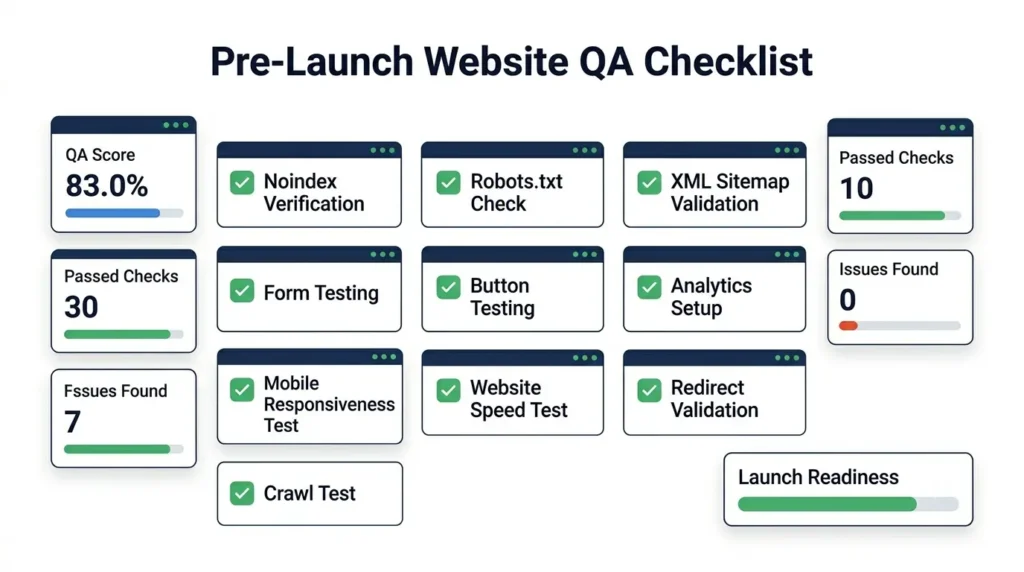
Before launch, make sure you have completed these essentials:
- Clear redesign goals
- Full website audit
- High-value page list
- Content inventory
- Keyword map
- Improved site structure
- Mobile-friendly design
- Updated content
- On-page SEO
- 301 redirect map
- Page speed checks
- Form testing
- Analytics setup
- Staging crawl
- Robots.txt review
- XML sitemap update
- Post-launch monitoring
FAQ: Website Redesign Checklist
What should be included in a website redesign checklist?
A website redesign checklist should include strategy, website audit, content review, keyword mapping, UX planning, mobile design, technical SEO, redirects, testing, analytics, launch checks, and post-launch monitoring.
How do I redesign my website without losing SEO?
Keep important URLs where possible, create a 301 redirect map, protect high-performing pages, optimize metadata, test the staging site, update your sitemap, and monitor rankings after launch.
Does a website redesign affect SEO?
Yes. A website redesign can improve SEO if handled correctly. It can also hurt rankings if URLs, redirects, content, internal links, or indexation settings are managed poorly.
When should I redesign my website?
You should redesign your website when it looks outdated, loads slowly, performs poorly on mobile, fails to convert visitors, has confusing navigation, or no longer supports your business goals.
What is the most important part of a website redesign?
The most important part is planning. A strong redesign starts with a website audit, clear goals, content review, SEO protection, and a safe launch plan.
Conclusion
A successful website redesign checklist does more than improve how your site looks. It protects your SEO, improves user experience, strengthens conversions, and gives your business a better foundation for growth.
Plan carefully, protect your best pages, test everything before launch, and monitor performance after the relaunch. That is how you redesign your website without losing traffic or rankings.
Need a Website Redesign That Looks Better and Performs Better?
A successful redesign should not only improve your website’s appearance. It should also protect your SEO, improve user experience, speed up your pages, and help more visitors become leads or customers.
If your current website feels outdated, slow, confusing, or weak in conversions, we can help you redesign it with a clear strategy from audit to launch.