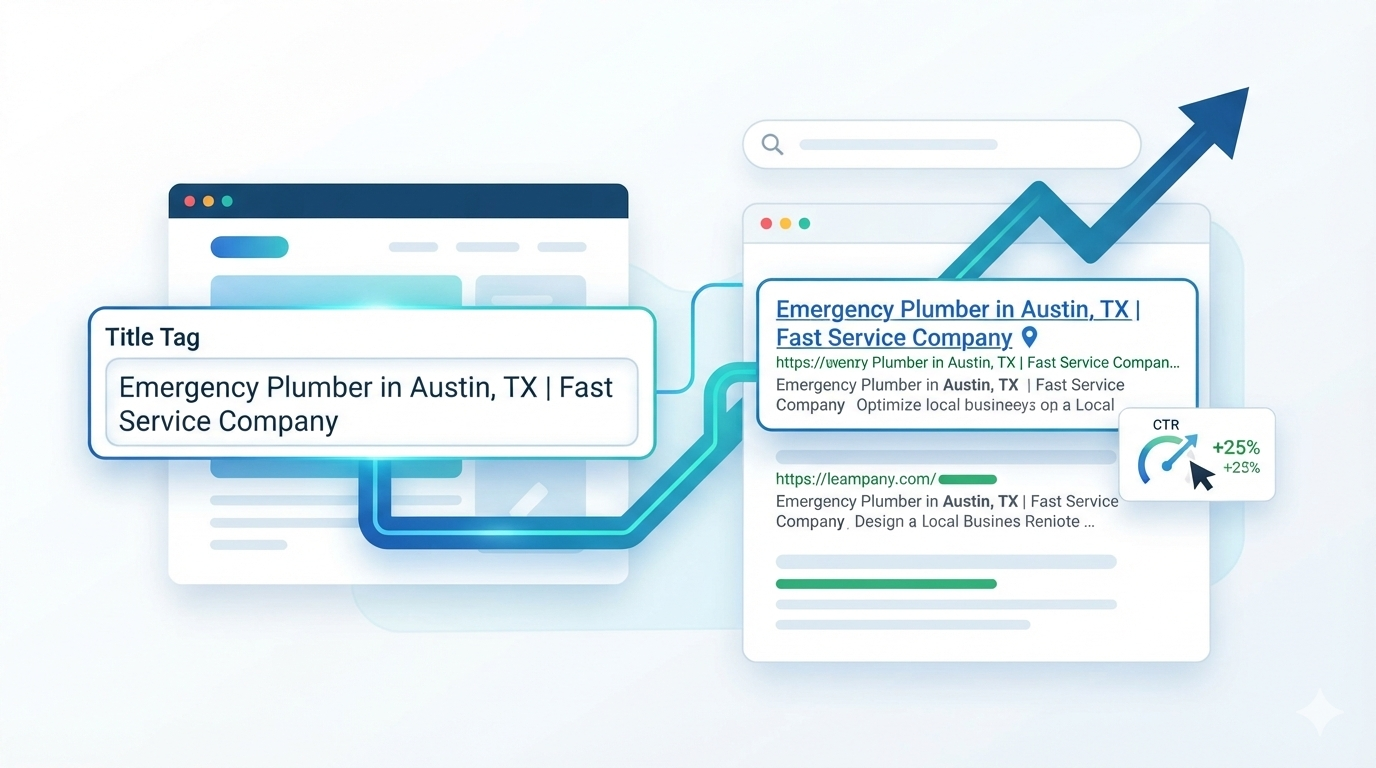
How to Write Title Tags for Local Service Pages That Get Clicks
If you’re writing a title tag for a local service page, start with the service and location, then add a genuine differentiator or brand if it improves the result.
A reliable starting formula is:
[Primary Service] in [City, State] | [Differentiator] | [Brand]
For example:
Emergency Plumber in Austin, TX | 24/7 Service | ABC Plumbing
But don’t treat that formula as a rule you copy across every page.
The best local SEO title tag is specific to the page, matches the search intent, gives the searcher enough information to choose your result, and accurately represents what they will find after clicking.
That matters even more for smaller websites. If your site is already getting impressions but very few clicks, improving the relevance and appeal of the title can help you make better use of the visibility you already have.
The Best Title Tag Formula for a Local Service Page
For most local service pages, think about four possible elements:
Service + Location + Differentiator + Brand
For example:
Roof Repair in Denver, CO | Free Inspections | ABC Roofing
You don’t necessarily need all four.
A simpler page might use:
Roof Repair in Denver, CO | ABC Roofing
An urgent service might use:
Emergency Roof Repair in Denver, CO | Same-Day Service
The objective isn’t to put as many keywords as possible into the title.
It’s to answer three questions quickly:
- What service is this?
- Where is it available?
- Why should I consider this result?
Google recommends descriptive and concise title elements, unique titles for individual pages, and avoiding keyword stuffing or repetitive boilerplate. Google also says there is no fixed character limit for the <title> element; the displayed title link can be truncated based on the available space.
A simple local title test
Ask:
If I saw only this title in Google, would I immediately understand what the business offers and where?
If not, simplify it.
What Should a Local SEO Title Tag Include?
1. The primary service
Be specific about what the page offers.
Instead of:
Plumbing Services
consider:
Water Heater Repair
Instead of:
Legal Services
consider:
Personal Injury Lawyer
The more precisely the title reflects the page, the easier it is for the searcher to understand the result.
2. The location
For a genuine local service page, the target location is usually one of the most important pieces of information.
Examples:
- Plumber in Austin, TX
- HVAC Repair in Phoenix, AZ
- Family Dentist in Miami, FL
- Roof Repair in Denver, CO
3. A differentiator
A useful differentiator can improve click appeal:
- Same-Day Service
- 24/7 Emergency Service
- Free Consultation
- Residential Services
- Commercial Services
- Licensed Technicians
Only use a differentiator when it is accurate.
4. Your brand
Include the business name when it adds recognition or trust.
For a smaller or relatively unknown business, however, don’t sacrifice the core service and location simply to force the brand into the title.
11 Local Service Page Title Tag Formulas You Can Copy
Different search intents require different title structures.
1. Service + City
Formula:
[Service] in [City]
Example:
Plumber in Austin
Use this when the service and city communicate everything important.
2. Service + City + State
Formula:
[Service] in [City, State]
Example:
Emergency Dentist in Miami, FL
Use the state when it adds geographic clarity or fits naturally with how people search.
3. Service + City + Benefit
Formula:
[Service] in [City] | [Benefit]
Example:
HVAC Repair in Phoenix, AZ | Same-Day Service
This is particularly useful when you have a legitimate benefit that differentiates your business.
4. Service + City + Brand
Formula:
[Service] in [City, State] | [Brand]
Example:
Family Dentist in Chicago, IL | SmileCare
This is a strong general-purpose format for many local businesses.
5. Emergency Service + Location
Formula:
Emergency [Service] in [City] | [Brand]
Example:
Emergency Plumber in Dallas, TX | ABC Plumbing
If the business actually operates 24/7, another option is:
Emergency Plumber in Dallas, TX | 24/7 Service
Don’t claim 24/7 availability simply because it produces a more attractive title.
6. Service + Customer Type + Location
When the page serves a specific audience, make that clear.
Examples:
Commercial HVAC Services in Dallas, TX
Residential Electrician in Austin, TX
Family Dentist in Phoenix, AZ
This can be more useful than a generic local service title because it communicates both the service and intended customer.
7. Professional Service + Location
Examples:
Personal Injury Lawyer in Houston, TX
CPA in Orlando, FL
Family Dentist in Tampa, FL
For professional services, the actual profession or service should remain prominent.
8. Service + Neighborhood + City
For businesses genuinely serving specific neighborhoods:
Plumber in South Congress, Austin
or:
Dentist in Buckhead, Atlanta
Don’t create neighborhood pages simply by changing the neighborhood name. The page should provide a legitimate reason for targeting that area.
9. Service + City + Surrounding Areas
For a genuine service-area business:
Garage Door Repair in Naperville & Surrounding Areas
This works when the business actually serves those surrounding communities.
10. Commercial Service + Location
Examples:
Commercial Roofing in Dallas, TX
Commercial Cleaning in Chicago, IL
Business IT Support in Boston, MA
The title should describe the specific B2B service rather than using a vague phrase such as “local business services.”
11. Brand + Service + Location
A recognizable brand may benefit from:
ABC Plumbing | Emergency Plumbing in Austin
However, for a low-authority business, I’d normally prioritize:
Service → Location → Differentiator → Brand
rather than giving the most valuable title space to an unfamiliar brand.
Should the Service or City Come First?
For most local service pages, I recommend testing:
Service + Location
against alternatives such as:
City + Service
For example:
Plumber in Austin, TX
versus:
Austin Plumber
Both communicate the basic intent.
There is no universal Google rule saying one word order must always rank better.
Choose the wording that:
- sounds natural
- matches the target query
- clearly identifies the service
- makes the location obvious
- gives the searcher a reason to click
Search Engine Journal’s local landing-page guidance also emphasizes the importance of including the target business/category and location in metadata, while noting the importance of the city for local searches.
Should You Include the State in a Local Title Tag?
Sometimes.
Include the state when it provides useful geographic clarification or naturally matches the search behavior.
For example:
Personal Injury Lawyer in Portland, OR
can be clearer than:
Personal Injury Lawyer in Portland
But don’t add the state at the expense of a more valuable differentiator when the city is already unambiguous.
The goal isn’t:
“How many geographic keywords can I fit?”
The goal is:
“What information helps this searcher identify the right result?”
How Long Should a Local SEO Title Tag Be?
There is no universal “60-character rule” that guarantees a title will display perfectly.
Google states that title elements can be any length, while title links in search results may be truncated according to available device width. Google can also generate title links using other page signals when appropriate.
So instead of obsessing over an arbitrary character count, prioritize:
- clarity
- relevance
- brevity
- uniqueness
- click appeal
Weak
Best Affordable Professional Emergency Plumbing Services in Austin Texas
Better
Emergency Plumber in Austin, TX | 24/7 Service
The second communicates the same basic intent with less wasted space.
Practical rule
Write the shortest title that completely communicates the page’s search intent.
Then check how it appears in your actual target search results.
Should Your Title Tag and H1 Be the Same?
They should align, but they don’t have to be identical.
For example:
Title tag:
Emergency Plumber in Austin, TX | 24/7 Service
H1:
24/7 Emergency Plumbing Services in Austin
These communicate the same topic while serving slightly different purposes.
Google says it can use the <title>, H1, prominent page text and other sources when generating a title link. Keeping those elements consistent therefore helps reduce ambiguity.
A strong local page might look like this:
| Element | Example |
|---|---|
| Title tag | Emergency Plumber in Austin, TX | 24/7 Service |
| H1 | 24/7 Emergency Plumbing Services in Austin |
| URL | /emergency-plumbing/austin-tx/ |
| Introduction | Emergency plumbing services for Austin homeowners… |
The wording doesn’t have to be identical.
The intent should be unmistakably aligned.
Local SEO Title Tag Examples by Industry
Use the following examples as starting points, not templates to copy word-for-word.
| Industry | Example title tag |
|---|---|
| Plumbing | Emergency Plumber in Austin, TX | 24/7 Service |
| HVAC | AC Repair in Phoenix, AZ | Same-Day Service |
| Roofing | Roof Repair in Denver, CO | Free Inspections |
| Dental | Family Dentist in Miami, FL | New Patients Welcome |
| Legal | Personal Injury Lawyer in Houston, TX | Free Consultation |
| Cleaning | House Cleaning in Seattle, WA | ABC Cleaning |
| Landscaping | Landscaping Services in Tampa, FL | ABC Landscaping |
| Auto repair | Auto Repair in Dallas, TX | ABC Auto |
Notice the pattern:
Specific service + specific location + useful information.
That is more powerful than repeating a broad phrase such as “best local services.”
How to Write Title Tags for Multiple Location Pages
This is one of the biggest areas where local SEO goes wrong.
Imagine a plumbing company creates:
Plumber in Austin, TX
Plumber in Dallas, TX
Plumber in Houston, TX
Changing only the city doesn’t automatically create three valuable pages.
A title tag cannot compensate for thin or duplicated local content.
Google explicitly warns against repetitive boilerplate titles, including titles that vary only by a small piece of information.
Current local landing-page guidance similarly emphasizes unique location-specific information rather than simply swapping city names.
Give each location page a genuine purpose
Depending on the business, that could include:
- services actually available in the area
- local customer experiences
- relevant projects
- local team information
- neighborhoods served
- service limitations
- local photos
- location-specific FAQs
- genuine local proof
Use one primary location per title
Avoid:
Plumber in Austin, Dallas, Houston, San Antonio & Round Rock
That’s several search intents competing for one title.
A cleaner structure is:
Plumber in Austin, TX | ABC Plumbing
and then let the page explain the broader service area where appropriate.
9 Local Title Tag Mistakes That Can Cost Clicks
1. Keyword stuffing
Bad:
Austin Plumber | Plumber Austin | Plumbing Austin | Best Plumber Austin
Better:
Plumber in Austin, TX | Same-Day Service
Google specifically advises against repeating the same words and phrases unnecessarily in title elements.
2. Using “best” without evidence
Avoid unsupported claims such as:
- Best
- #1
- Cheapest
- Fastest
- Leading
unless you can substantiate the claim and it accurately represents the page.
3. Reusing the same title everywhere
Don’t use:
Professional Services in [City] | ABC
across dozens of pages.
Each page should describe its own purpose.
4. Putting the brand first when it isn’t recognizable
Compare:
ABC Solutions | Local Services
with:
Roof Repair in Denver, CO | ABC Roofing
The second immediately tells an unfamiliar searcher what the business does.
5. Forcing “near me” into the title
Don’t write:
Plumber Near Me Austin | Best Plumber Near Me
The phrase “near me” doesn’t need to be repeated unnaturally.
Write for the service and location.
6. Making promises the page cannot prove
If the title says:
Same-Day AC Repair in Phoenix
the page should actually explain that same-day service is available.
The title is a promise.
The page needs to keep it.
7. Using a generic title
Avoid:
Our Services
Local Experts
Home Services
Welcome to ABC
These titles don’t give enough information to differentiate the page in search.
8. Making the title more specific than the page
If your title says:
Emergency Water Heater Repair in Austin
but the page is actually a generic plumbing-services page, you have created an intent mismatch.
The title should accurately describe the content.
9. Treating the title as the entire SEO strategy
A great title can’t fix:
- thin content
- poor local relevance
- weak internal linking
- duplicate pages
- no trust signals
- poor UX
- unclear service information
Your title is the search-result promise.
The page is where you fulfill it.
Local Service Page Title Tag Checklist
Before publishing, check:
- The primary service is obvious.
- The location is accurate.
- The title is unique.
- The wording matches search intent.
- The title accurately represents the page.
- The H1 supports the same topic.
- The title isn’t stuffed with repeated keywords.
- Any benefit or claim is truthful.
- The brand is included only when useful.
- The page fulfills the title’s promise.
- The corresponding location is genuinely served.
- Related pages link naturally to this page.
- The title looks compelling compared with the current SERP competitors.
Frequently Asked Questions
What should a title tag for a local service page include?
Usually, include the primary service and target location. Add a genuine differentiator or brand when it makes the result clearer or more compelling.
Should I put the city in the title tag?
For a genuine city-targeted local service page, including the city is often useful because it immediately communicates geographic relevance.
Should the service or city come first?
There is no universal requirement. Service + location is a strong starting format because it immediately explains what the page offers.
Should I include the state abbreviation?
Include it when it provides useful geographic clarity or fits naturally with the target query. Don’t force it into every title.
How long should a local SEO title tag be?
There is no guaranteed character limit. Write a concise, descriptive title and check how the title link appears in your target search results. Google may truncate or generate the displayed title based on available space and other page signals.
Should the title tag and H1 be identical?
No. They should have the same underlying search intent, but natural differences in wording are fine.
Should I include my business name?
Usually, yes if there is enough space and the brand adds recognition. For a low-authority business, prioritize the service and location when space is limited.
Should I use “near me” in a title tag?
Generally, don’t force “near me” into the title. Focus on clearly communicating the service and location.
How do I write title tags for multiple locations?
Use a consistent framework but create a genuinely useful page for each location. Don’t simply swap city names in otherwise identical titles and content.
Can Google change my title tag?
Yes. Google can generate the title link using the title element, H1, prominent page text, anchor text and other sources. Keeping these signals consistent helps Google understand the intended page title.
Do title tags affect Google AI Overviews?
The title tag is one signal that helps communicate what a page is about, but there is no special title-tag formula that guarantees an AI Overview citation. For AI search, optimize the entire page for clear answers, topical relevance, trustworthy information and unambiguous service/location context.
What is the best title tag formula for local SEO?
Start with:
[Primary Service] in [City, State] | [Differentiator] | [Brand]
Then remove anything that doesn’t add useful information.
The best title isn’t the one containing the most keywords. It’s the one that makes the right searcher understand the right page quickly enough to choose your result.
Final Takeaway
For local service pages, don’t optimize title tags by asking:
“How many times can I include my keyword?”
Ask:
“What does this searcher need to know before deciding whether to click?”
For most pages, the answer is:
Service + location + useful differentiation.
Then make sure the H1, opening copy, page content, internal links and local proof all reinforce that same intent.